Office Wi-Fi Access Point Installation & Cabling in NYC
Office Wi-Fi access point installation sounds simple. You mount a few boxes on the ceiling and the signal shows up. In reality, the cable behind each access point decides how fast and how steady your wireless network will be. This guide explains how Wi-Fi access point cabling works, what to plan before you hire anyone, and how to get reliable coverage in a New York office.
Table of Contents
- What Is Office Wi-Fi Access Point Installation?
- Why Cabling Matters for Wi-Fi
- What Is PoE and Why Do Access Points Use It?
- Cat6 vs Cat6A for Access Points
- How Many Access Points Does an Office Need?
- Step-by-Step Installation Process
- NYC Office Challenges to Plan For
- Common Mistakes to Avoid
- Frequently Asked Questions
- Get a Cabling Quote
What Is Office Wi-Fi Access Point Installation?
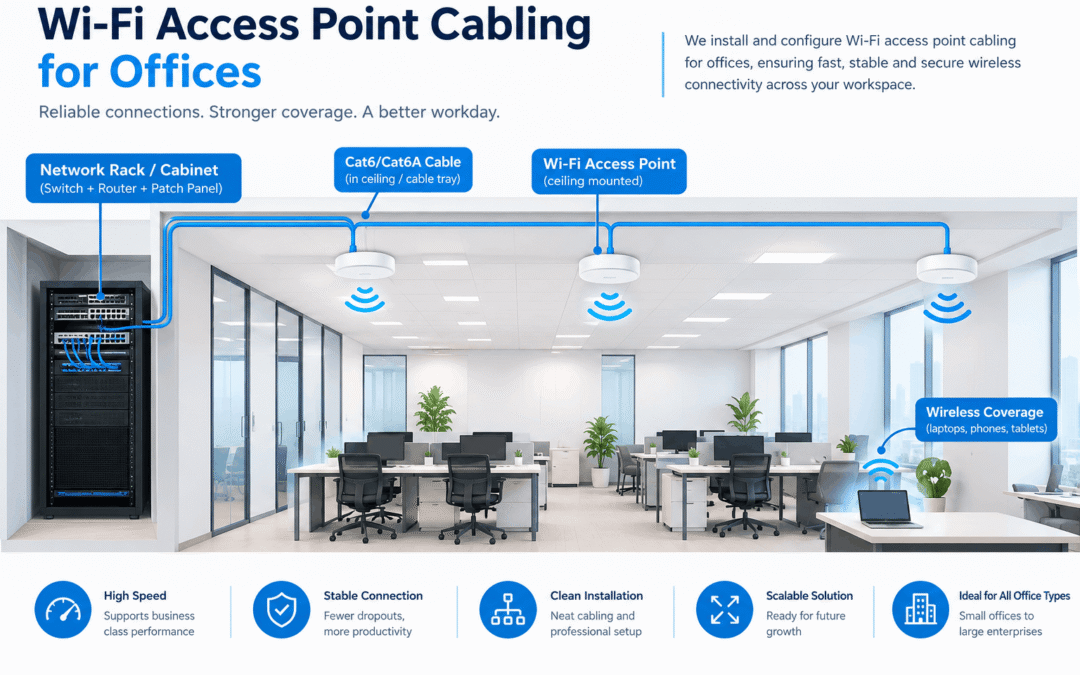
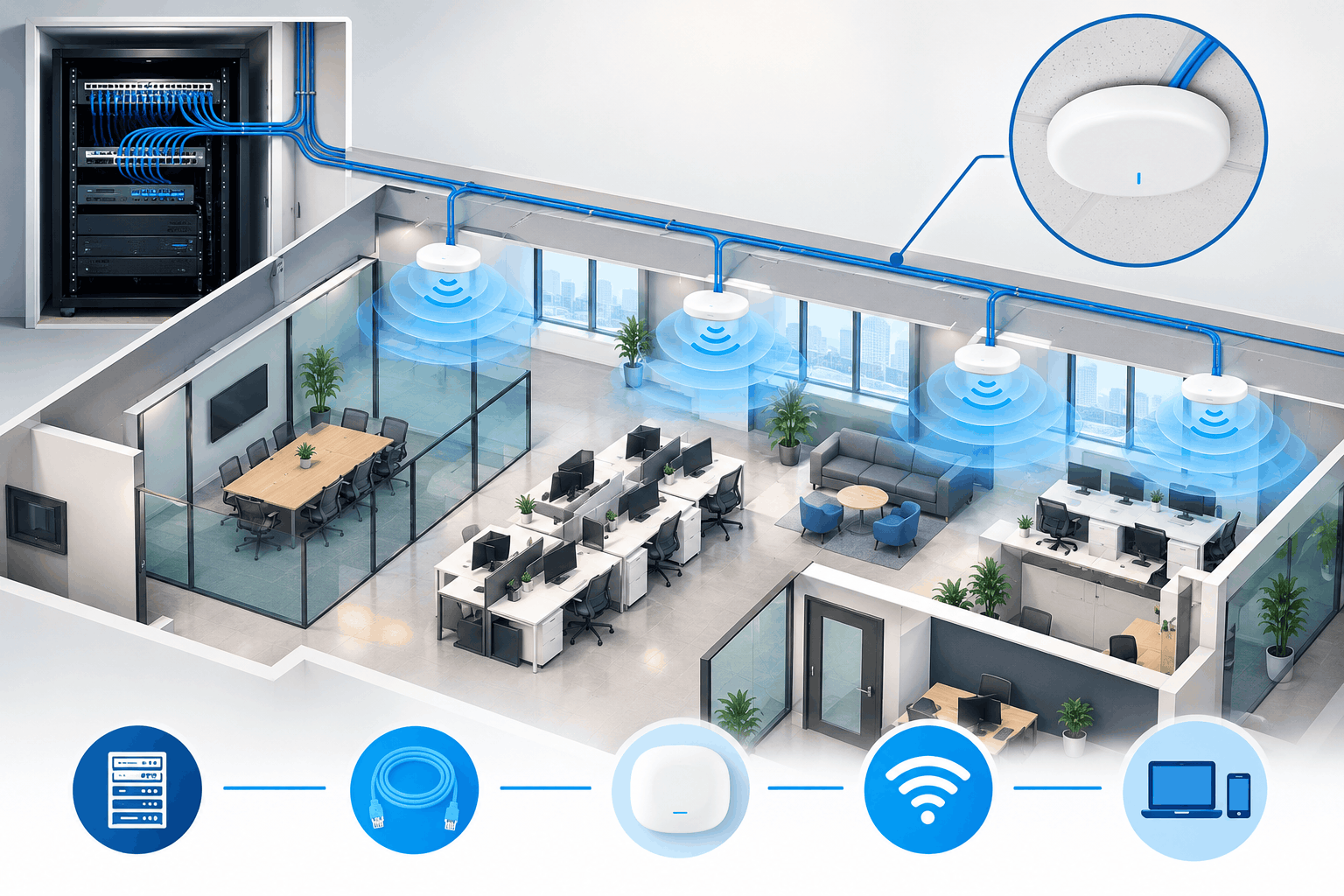
Office Wi-Fi access point installation is the process of planning, cabling, mounting, and configuring wireless access points so every part of your workspace gets a strong, steady connection. Each access point connects to your network switch through an Ethernet cable, and that cable usually carries both data and power.
In short, the wireless signal is only the last few feet of the trip. Everything before that travels through copper cable, so the quality of that cabling shapes the quality of your Wi-Fi.
Why Cabling Matters for Wi-Fi
Many offices blame the router when Wi-Fi feels slow. However, the real problem is often an old cable, a long run, or a poorly terminated connector. Because modern access points handle dozens of devices at once, they need a clean wired connection behind them.
Here is what good Ethernet cabling for Wi-Fi access points gives you:
- Higher speeds: Newer Wi-Fi 6, 6E, and Wi-Fi 7 access points can pass more than 1 Gbps, so a weak cable becomes the bottleneck.
- Stable connections: Video calls and cloud apps drop less often when the wired link is solid.
- Power over the same cable: You skip the extra outlets and adapters.
- Room to grow: Good cable installed today still works when you upgrade your access points later.
If you are also building out the rest of your network, our Ethernet cabling service covers desks, conference rooms, and server closets in the same project.
What Is PoE and Why Do Access Points Use It?
PoE stands for Power over Ethernet. It sends electrical power and data through one network cable. As a result, you can mount an access point high on a ceiling or in a hallway without running a separate power line to it.
PoE cabling installation also makes management easier. Your switch powers each access point, so if the network needs a restart, you can do it from one spot. Also, a single battery backup (UPS) on the switch can keep your Wi-Fi running during a short power cut.
PoE Standards Compared
| Standard | Common Name | Power From Switch | Best For |
|---|---|---|---|
| IEEE 802.3af | PoE | Up to 15.4 W | Basic access points, IP phones |
| IEEE 802.3at | PoE+ | Up to 30 W | Most Wi-Fi 6 access points, PTZ cameras |
| IEEE 802.3bt Type 3 | PoE++ | Up to 60 W | High-density Wi-Fi 6E and Wi-Fi 7 access points |
| IEEE 802.3bt Type 4 | PoE++ | Up to 90 W | Power-hungry devices, large displays |
Before you buy, check the power draw listed on your access point’s spec sheet. Then match it to a switch that can supply enough total power for every device on that switch.
Cat6 vs Cat6A for Access Points
Most commercial Wi-Fi installations use Cat6 or Cat6A. Both work well. The right pick depends on your budget, your speed goals, and how long you plan to keep the cabling.
Cable Comparison for Wi-Fi Access Points
| Feature | Cat5e | Cat6 | Cat6A |
|---|---|---|---|
| Typical speed | 1 Gbps | 1 Gbps (10 Gbps up to about 55 m) | 10 Gbps |
| Max run length | 100 m (328 ft) | 100 m (328 ft) | 100 m (328 ft) |
| Multi-gig (2.5G / 5G) support | Yes, in most cases | Yes | Yes |
| Cable thickness | Thin | Medium | Thicker, harder to pull |
| Best use | Older or low-demand sites | Most offices today | New builds and long-term planning |
For a new office or a major upgrade, we usually suggest Cat6A at access point locations. It costs more up front, but it supports 10 Gbps and keeps the system useful for many years. For a smaller budget, Cat6 is still a solid choice.
How Many Access Points Does an Office Need?
There is no single number that fits every office. Still, a rough guide helps you plan. A typical open office needs one access point for every 1,500 to 2,500 square feet. Dense spaces, such as conference rooms and training areas, need more.
These factors change the count:
- Number of users and devices: Laptops, phones, tablets, and printers all share the signal.
- Wall material: Concrete, brick, and glass block weaken Wi-Fi quickly.
- Ceiling height: Higher ceilings can spread the signal wider, but they also change mounting options.
- Usage type: Video meetings and large file transfers need more capacity than basic web browsing.
Because every floor plan is different, a site walk before installation saves money. It helps you avoid both dead zones and extra access points you do not need.
Step-by-Step Installation Process
A well-run commercial Wi-Fi installation in NYC follows a clear order. Here is how it usually goes:
- Site survey: First, we walk the space, check the floor plan, and note walls, ceilings, and possible interference.
- Placement plan: Next, we mark where each access point should go and plan the cable path back to the network closet.
- Cable pulling: Then we run the cable through ceilings, walls, or conduit, using plenum-rated cable where building rules call for it.
- Termination and labeling: After that, each cable is connected to a patch panel and labeled, which makes future changes much easier.
- Testing: Every run is tested for speed, length, and faults before anything is mounted.
- Mounting and setup: Finally, the access points go up and connect to the PoE switch, and the wireless network is configured.
- Coverage check: We walk the office with a test device to confirm the signal is strong everywhere.
NYC Office Challenges to Plan For
Installing an office wireless network in Manhattan, Brooklyn, or Queens comes with a few local hurdles. Planning for them early keeps your project on schedule.
- Building rules: Many commercial buildings require approved vendors, insurance certificates, and set work hours.
- After-hours work: Landlords often limit loud or disruptive work to nights and weekends.
- Older buildings: Thick walls and tight ceiling spaces make cable routing harder.
- Crowded airwaves: Offices stacked on top of each other compete for the same wireless channels, so careful channel planning matters.
- Shared riser access: You may need building approval to run cable between floors.
Wi-Fi often shares the same cable pathways as other systems. For example, if you are adding security camera cabling or audio visual cabling for conference rooms, it makes sense to plan everything together. One coordinated project usually costs less than three separate ones.
Common Mistakes to Avoid
- Skipping the site survey: Guessing at placement leads to weak spots.
- Running cable too long: Anything past 100 meters (328 feet) will not perform properly.
- Choosing a switch with too little PoE power: Access points may reboot or run at lower speeds.
- Using cheap cable: Low-grade copper-clad cable can fail PoE and speed tests.
- Forgetting labels: Unlabeled cables turn small fixes into long searches.
- Installing only what you need today: Adding a second cable at each location costs little now and a lot later.
Frequently Asked Questions
How much does office Wi-Fi access point installation cost in NYC?
Cost depends on the number of access points, cable distance, ceiling type, and building rules. A site visit is the only way to give an accurate price. Cable type (Cat6 or Cat6A) and after-hours work also affect the total.
Do Wi-Fi access points need Ethernet cables?
Yes, in a business setting they should. A wired connection to each access point gives you better speed and stability than wireless-only options. It also lets you power the device with PoE.
What is the maximum Ethernet cable length for an access point?
The limit is 100 meters (328 feet) for a full channel, including patch cables. Longer runs need a switch or a fiber link partway.
Can I use my existing cables for new access points?
Sometimes. Cables in good shape may work, but older Cat5 cable often cannot handle newer Wi-Fi speeds or higher PoE power. We test existing runs first and replace only what fails.
Do I need PoE for office Wi-Fi?
You do not strictly need it, but it is the standard choice. PoE removes the need for nearby power outlets and gives you central control of every access point.
How long does an office Wi-Fi installation take?
A small office can finish in one to two days. Larger floors or multi-floor projects take longer, mainly because of cable pulling and building access.
Can you install Wi-Fi cabling at night or on weekends?
Yes. Many NYC buildings require after-hours work, so scheduling around your business hours is a normal part of the job.
Planning an Office Wi-Fi Upgrade? Get a Cabling Quote.
Good Wi-Fi starts with good cabling. Whether you are opening a new office, fixing weak coverage, or adding access points, NewTech Cabling can survey your space, run the Ethernet and PoE cabling, and test everything before we leave.
- Request a quote: https://newtechcabling.com/contact-us/
- Call: (212) 537-5965
- Email: info@newtechcabling.com
Recent Comments