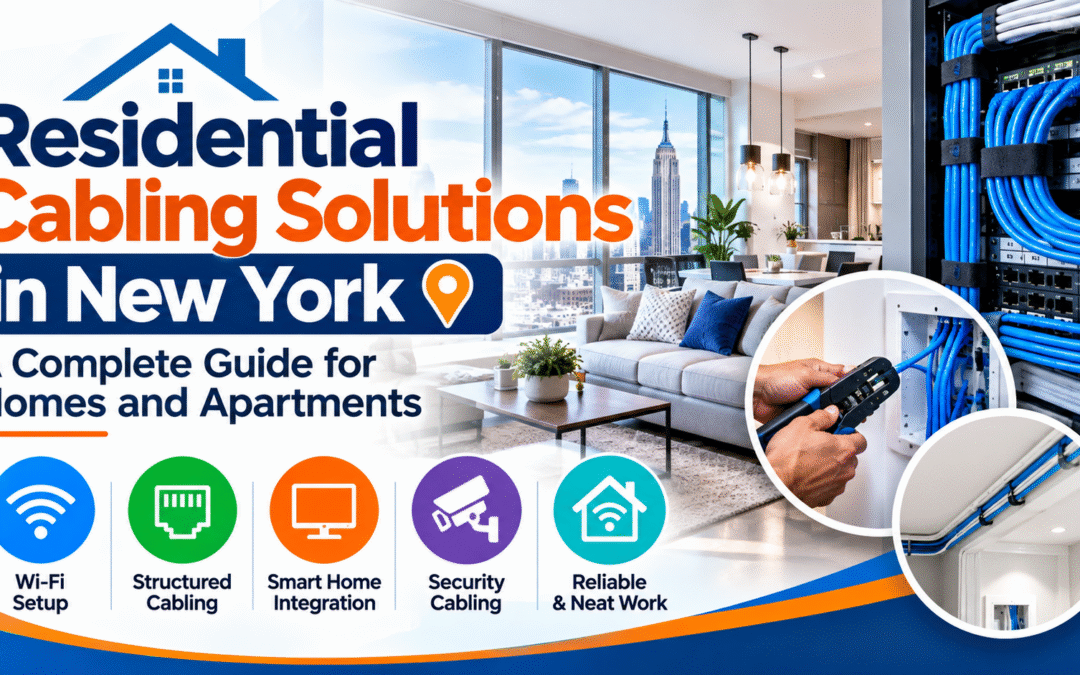
Residential Cabling Solutions in New York: A Complete Guide for Homes and Apartments
Streaming in 4K, video calls from the spare room, smart thermostats, security cameras and a dozen phones and laptops on one network: modern homes ask a lot of their connection. Wi-Fi alone often cannot keep up, especially in New York apartments with thick walls, long hallways and crowded airwaves. That is why more homeowners and renters are investing in residential cabling solutions in New York: a wired backbone that makes every device in the home faster and more reliable.
This guide explains what residential cabling is, which cable types make sense for a home, what the installation process looks like in New York City apartments, condos, co-ops and townhouses, and what affects the cost. New Tech Cabling, based in Midtown Manhattan, brings structured cabling expertise to the New York area. You can also explore our full list of network cabling services.
In this guide
- What residential cabling is
- Why wired cabling beats Wi-Fi alone
- Residential cabling solutions we cover
- Choosing the right cable for your home
- Cabling in New York apartments, condos and homes
- Our installation process
- What affects the cost
- Common mistakes to avoid
- How to choose a cabling company
- Service areas
- Frequently asked questions
What Is Residential Cabling?
Residential cabling, often called home network wiring or residential structured wiring, is the physical cabling that connects the rooms and devices in a home. Instead of relying on one router to cover everything wirelessly, cables run from a central point to wall jacks and device locations throughout the home.
A typical residential cabling system includes:
- Ethernet cabling (Cat6 or Cat6A): Cable runs from a central location to wall outlets in each room. Cat6 handles most homes well, while Cat6A offers more headroom for faster speeds and longer runs. Because the cable sits inside walls, it is far cheaper to install the better grade now than to replace it later.
- A central equipment location: A closet, utility room or small wall-mounted rack holds the router, switch and patch panel. Keeping everything in one place makes the network easier to manage and troubleshoot. It also keeps equipment out of sight and gives it good ventilation, power and room to grow.
- Patch panel and network switch: Each cable from the rooms ends on a patch panel, and short patch cords link the panel to a switch. This lets you turn any outlet on or off, or move a device to a different port, without touching the cable inside the walls. Choose a switch with enough ports, plus a few spare for future needs.
- Wall jacks and faceplates: Every room gets a clean, labeled connection point that matches your decor. Faceplates can hold one, two or more ports, so a home office or media room can have several connections in one spot. Placing outlets at the right height and location avoids long cords across the floor.
- Cabling for Wi-Fi access points: Strong Wi-Fi depends on wired connections behind it. Access points are usually mounted on ceilings or high on walls and each needs its own cable. When powered through the cable using Power over Ethernet (PoE), they need no nearby power outlet, which gives a clean installation and better coverage than a single router.
- Cabling for cameras, TVs and other devices: Devices that need a steady connection, such as security cameras, smart TVs, streaming boxes, game consoles, desktop computers and network storage, perform better on a wired link. Wired cameras avoid battery changes and weak signal, and PoE cameras need only one cable for both power and data.
- Home office and work-from-home connections: Video calls, large file transfers and remote desktop sessions rely on a stable connection. A wired outlet at the desk gives lower delay and more consistent speed than Wi-Fi, which matters when you work from home.
- Entertainment and smart home wiring: Media rooms, living rooms and outdoor areas can have outlets for TVs, speakers and streaming gear, and hubs for smart lighting, thermostats and door systems can be connected by cable. A wired backbone makes these systems more responsive and reliable.
- Cable pathways and protection: Cable is routed through walls, attics, basements or conduit, kept away from power wiring and protected from damage. Good routing, sensible bend radius and proper fire-rated cable where needed help the system last and keep it code-friendly.
- Power protection: A surge protector or small battery backup (UPS) for the router and switch protects equipment from power spikes and keeps the network running through short outages.
- Labeling and documentation: Every cable and port is labeled at both ends, and a simple list or diagram shows which outlet connects to which port. This makes it easy for you or a technician to find and fix a problem, add a device or expand the system later without tracing cables through the walls.
- Testing and verification: Each cable is tested after installation to confirm it works and meets performance requirements, so you know every outlet is ready to use from day one.
Why Wired Cabling Beats Wi-Fi Alone in a New York Home
Wi-Fi is convenient, but it has limits, particularly in dense city buildings. Brick and concrete walls, steel framing, elevator shafts and dozens of neighboring networks all weaken and disturb wireless signals. A wired network fixes many of the problems homeowners and apartment residents complain about, and it gives Wi-Fi itself a stronger foundation to build on. Here is why a wired backbone makes such a difference.
- Consistent speed: A cable is not affected by walls, floors, mirrors, appliances or other people’s networks in the building. The speed you pay for reaches your devices at any time of day, instead of dropping in the evening when neighbors are also online.
- Stronger Wi-Fi coverage: Access points connected by cable deliver much better coverage than a single router or Wi-Fi repeaters. Repeaters pick up a weak signal and rebroadcast it, which cuts speed, while wired access points receive a full-speed connection and pass it on. Placing them in different rooms or floors removes dead spots in bedrooms, kitchens and home offices.
- Lower lag: Gaming, video calls and remote work run more smoothly on a wired connection. Delay and dropped packets are lower, so calls do not freeze, online games respond faster and remote desktop sessions feel immediate. This matters for anyone working from home on video meetings every day.
- Better security: Wired connections are harder to intercept than wireless signals, which travel through the air and can reach neighboring apartments and the street. Putting computers, servers, cameras and storage on cable reduces what is exposed to the airwaves, and a managed switch can add further control over who connects.
- Room for growth: Cabling installed today can support faster equipment for years. Cable stays in the walls while routers, switches and devices change, so quality Cat6 or Cat6A cable lets you upgrade your equipment later without opening walls again.
- A cleaner home: Cables hidden in walls replace long cords running along floors and baseboards. Outlets sit where you need them, TVs and desks look tidier, and there are fewer trip hazards for children and pets. In a small New York apartment, getting cords off the floor makes the space feel larger and more organized.
- Reliable support for busy households: When several people stream, work, study and game at once, Wi-Fi alone can slow to a crawl. Moving fixed devices such as TVs, desktop computers and consoles onto cable frees up wireless capacity for phones, tablets and laptops.
- Better performance for smart home and security devices: Cameras, video doorbells, smart hubs and network storage work best on a steady connection. Wired cameras avoid the dropouts and missed footage that weak Wi-Fi can cause, and Power over Ethernet can supply power and data through one cable.
- Added value to your property: A professionally cabled home or apartment, with labeled outlets and a neat equipment location, is a selling point for buyers and tenants, and it can reduce future service calls.
Residential Cabling Solutions for New York Homes
Home Ethernet and Structured Wiring
The core of any residential cabling project is a set of Cat6 or Cat6A cables running to each room, terminated at wall jacks and a central patch panel. This is the same structured approach used in offices, scaled to a home. For more on this approach, see our low voltage cabling installation and low voltage cabling design-build services.
Wi-Fi Access Point Cabling
The best way to get strong Wi-Fi in every room is to place access points on the ceiling or wall and connect each one with a cable. Many access points can be powered over the same cable using Power over Ethernet (PoE), so no extra outlet is needed.
Home Office Cabling
Remote and hybrid work has made the home office a business-critical space. A dedicated wired connection keeps video meetings, VPN sessions and file transfers stable.
Security Camera and Smart Home Cabling
IP cameras, video doorbells, smart locks and sensors often work best on a wired connection. Running cable once, with PoE where possible, means fewer batteries, fewer dropouts and cleaner installs. Learn more about our security systems cabling.
TV, Streaming and Home Entertainment Cabling
Smart TVs, streaming boxes and game consoles stream large amounts of data. A wired jack behind the TV delivers stable 4K streaming and removes buffering caused by weak Wi-Fi.
Equipment Closets and Cable Management
A tidy central location for the router, switch and patch panel makes the whole system easier to maintain. Our project management and cable management experience helps keep installations organized.
Moves, Additions and Relocations
Renovating, adding a room or moving to a new apartment? Cabling can be added, extended or relocated. See our relocations service for how we handle moves.
Choosing the Right Cable for Your Home
For most homes, the choice comes down to Cat6 versus Cat6A, with fiber used in specific cases. Here is a simple comparison:
| Cable | Typical speed and distance | Best for |
|---|---|---|
| Cat5e | 1 Gbps up to 100 m | Older homes with existing wiring; usually not recommended for new installs |
| Cat6 | 1 Gbps up to 100 m; 10 Gbps over shorter runs (about 55 m) | Most apartments and homes |
| Cat6A | 10 Gbps up to 100 m | Large homes, heavy users and future-proofing |
| Fiber optic | Very high bandwidth over long distances | Linking separate buildings or distant equipment locations |
Most home internet plans today fit comfortably within gigabit speeds, so Cat6 is enough for many households. Cat6A costs more but gives extra headroom if you want to be ready for multi-gigabit speeds. For a technical reference, download our white paper on cable and wiring types.
Cabling in New York Apartments, Condos, Co-ops and Townhouses
Running cable in a New York residence comes with its own considerations.
- Co-op and condo approval: Many buildings require board or management approval before any wall or ceiling work, and some require insurance paperwork from contractors.
- Building access: Freight elevator bookings and set working hours are common in Manhattan buildings.
- Older construction: Pre-war buildings may have plaster walls, masonry and limited pathways, so planning the routes matters.
- Renovation timing: The best time to add cabling is during a renovation, when walls are already open.
- Rental apartments: Tenants should check the lease and talk to the landlord before any in-wall work; surface-mounted raceways can be an option where permitted.
- Codes and safety: Cabling must follow the applicable electrical and building codes, and openings through fire-rated walls and floors should be handled properly.
Industry organizations such as BICSI and the Telecommunications Industry Association (TIA) publish the guidance behind structured cabling design, and electrical work is governed by codes such as NFPA 70, the National Electrical Code. For local rules, check with the New York City Department of Buildings and your building’s management.
Our Residential Cabling Installation Process
A good cabling project is mostly planning and careful work, and the cable itself is the smaller part. We follow the same clear steps on every home, so you know what to expect from the first visit to the final walkthrough.
- Consultation and walkthrough: We look at your space, your devices, how you use your network and where coverage is weak. We ask who works from home, which rooms have TVs, consoles or computers, whether you have or want security cameras, and what problems you have now. We also check the construction of the home, such as walls, ceilings, closets and access to attics or basements, because these affect how cable can be routed.
- Cabling plan: You get a clear layout showing jack locations, access point positions, cable types and the equipment location. We choose outlet positions with your furniture in mind, suggest extra ports where you may need them later and select the right cable grade, such as Cat6 or Cat6A, for your needs and budget. You can review and change the plan before anything is installed.
- Written quote: The scope and pricing are laid out before any work begins. The quote lists the number of outlets, the cable and equipment included, the work to be done and anything excluded, so there are no surprises. Please review it and ask us about anything unclear.
- Building coordination: We work with your building or management on approvals, access and scheduling where needed. In co-ops, condos and many New York buildings this can include alteration approvals, insurance certificates, elevator reservations and permitted work hours. We can supply what the building asks for and plan around its rules.
- Installation: Cables are routed, terminated and mounted with care for your finishes and furniture. We protect floors and belongings, keep cable away from power wiring, respect bend limits and use proper supports, then install wall jacks, faceplates, the patch panel and the equipment location. We keep the work area tidy and clean up each day.
- Testing: Each connection is tested before handover. We check that every cable is wired correctly, connects end to end and performs as expected, and we fix any problem before we finish, so every outlet is ready to use.
- Labeling and walkthrough: Every port is labeled, and you receive a simple record of what was installed. We show you the equipment location, explain which outlet goes to which port and answer questions, so you or any future technician can understand the system, make changes or add devices easily.
What Affects the Cost of Residential Cabling in New York?
There is no single price, because every home is different. A small apartment with a few outlets is a very different job from a multi-floor townhouse with cameras and access points in every room. The main factors are listed below, and a walkthrough lets us turn them into an accurate written quote.
- The number of cable runs and wall jacks: Each run takes time to route, pull, terminate and test, so cost rises with the number of outlets. Adding a few extra ports during the same visit is usually much cheaper than returning later, so it helps to plan for future needs.
- The cable type (Cat6 or Cat6A) and any fiber needs: Cat6A costs more than Cat6 and is thicker, which can make routing harder, but it offers more headroom for faster speeds. Fiber is only needed in special cases, such as long runs between buildings or high-speed links, and adds to materials and termination costs.
- Wall and ceiling construction, and how easy the routes are to reach: Cable is quick to install through open attics, basements and accessible ceilings. Plaster, brick, concrete, fire blocks and finished walls with no access take more time and care, which raises labor cost.
- Whether walls are already open during a renovation: Cabling is much easier and cheaper when walls are open. If you are renovating, run the cable at that stage, and tell us early so we can coordinate with your contractor and avoid patching and repainting later.
- The number of access points, cameras and other devices: Wi-Fi access points and security cameras each need their own cable, and often a Power over Ethernet switch. More devices mean more runs, more mounting work and larger equipment needs.
- Equipment closet or rack setup: A simple patch panel and switch on a wall costs less than a full rack with a patch panel, managed switch, battery backup and power. Ventilation, power outlets and available space in the closet also matter.
- Building rules, access limits and insurance requirements: Co-ops, condos and many New York buildings have restricted work hours, elevator reservations, approval forms and insurance requirements. These can add planning time and sometimes fees, so check your building’s rules early.
- Whether existing cabling can be reused: If good quality cable is already in the walls, we may test and reuse it, which can lower the cost. Old or damaged cable, or cable of an unknown type, often has to be replaced.
- Testing, labeling and documentation: Testing each connection and labeling every port adds a little time but gives you a reliable, easy to manage system, and is worth including.
- Timing and access to the home: Work done on weekdays during normal hours is generally simpler to schedule than evening or weekend work, and a home that is easy to access and clear of furniture speeds up the job.
The most reliable way to get an accurate price is a walkthrough followed by a written quote. Contact us to schedule one.
The best way to get an accurate number is a walkthrough followed by a written quote. Contact our team to start the conversation.
Common Residential Cabling Mistakes to Avoid
- Relying on Wi-Fi extenders. They often cut speeds in half; cabled access points work far better.
- Installing too few jacks. Adding them later costs more than planning extra ports up front.
- Using the cheapest cable. Poor-quality cable can fail or underperform, especially with PoE devices.
- Skipping testing and labels. Untested, unlabeled cabling makes future problems harder to fix.
- Ignoring building rules. Starting work without approval can lead to delays or fines.
- Forgetting the future. Think about home offices, cameras and new devices before the walls are closed.
How to Choose a Residential Cabling Company in New York
- Check experience in New York buildings. Local knowledge of access rules and older construction saves time.
- Ask about insurance and building requirements. Many co-ops and condos require proof of insurance.
- Ask about testing and labeling. Both should be part of every job.
- Get a written scope and quote. It prevents surprises later.
- Ask about cable quality. The installer should be able to explain which cable they use and why.
- Check support after the job. You may want to add or move connections later.
Want to see how other clients feel about working with us? Read and leave reviews on Yelp, or read more tips on our blog.
Residential Cabling Service Areas in New York
New Tech Cabling is located in the heart of Midtown Manhattan, at the corner of 5th Avenue and 34th Street. We serve Manhattan, including Midtown, the Financial District, Chelsea, SoHo, Tribeca, Hudson Yards and the Flatiron District, as well as Brooklyn, Upper Manhattan, Jersey City, Hoboken and Union City.
Frequently Asked Questions About Residential Cabling in New York
What are residential cabling solutions?
They are the wired network systems installed in a home, including Ethernet cabling to each room, wall jacks, a central equipment location and cabling for Wi-Fi access points, cameras and other devices.
Is wired Ethernet really better than Wi-Fi at home?
For stability and speed, yes. Wired connections are not affected by walls or interference, and cabled access points also make Wi-Fi stronger throughout the home.
Should I choose Cat6 or Cat6A for my home?
Cat6 is enough for most apartments and homes. Cat6A is worth considering for large homes, heavy users or if you want to be ready for multi-gigabit speeds.
Can cabling be installed in an apartment or co-op?
Often yes, but many buildings require board or management approval and insurance paperwork first. It is best to check your building’s rules before work begins.
How long does a residential cabling installation take?
Small projects can often be completed in a day or two. Larger homes or projects with many runs take longer depending on scope and construction.
Can you add cabling during a renovation?
Yes, and that is often the best time. With walls already open, routing is simpler and cleaner.
Can you add cabling for security cameras and smart devices?
Yes. Cabling for cameras, access points and other devices can be planned together with the rest of the network, often using PoE.
Which areas do you serve?
We serve Manhattan, Brooklyn, Upper Manhattan, Jersey City, Hoboken and Union City.
Request a Residential Cabling Quote in New York
Ready for faster, more reliable internet in every room? Contact New Tech Cabling to discuss residential cabling solutions for your New York home or apartment. Our team will review your space, recommend the right cabling and provide a clear written quote.
Call (212) 537-5965 | Schedule a consultation
Email: info@newtechcabling.com
Hours: Monday to Friday, 7:00 am to 6:00 pm
Location: 5th Avenue and 34th Street, Midtown Manhattan, New York
Learn more: Network installations | All services | Blog | New Tech Cabling home
Recent Comments