Conference Room Design & Build Out That Works Every Time
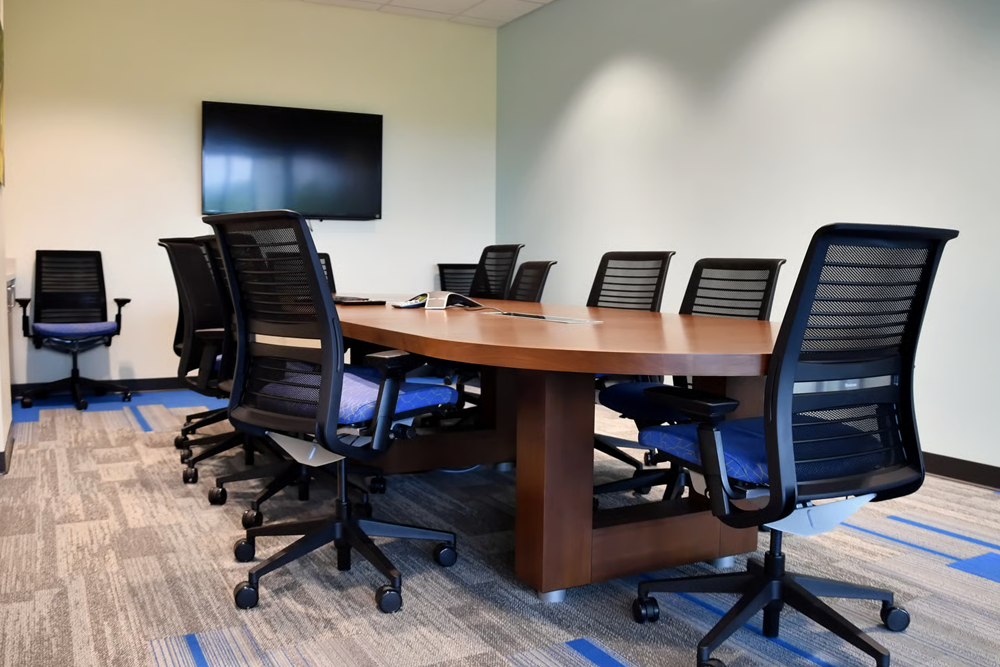
A conference room is one of the most visible and frequently used spaces in any business. It’s where your team collaborates, where you meet clients, and where presentations happen. When the technology in that room works flawlessly — display, audio, video conferencing, network — meetings run smoothly and your business looks professional. When it doesn’t, you’re troubleshooting cables in front of clients.
New Tech Cabling provides complete conference room design and build out services that take care of everything under the surface — the low voltage cabling, AV infrastructure, and network connectivity that makes your meeting room technology work the way it’s supposed to.
What's Included in Conference Room Design & Build Out?
Display & Monitor Cabling
Video Conferencing Infrastructure
Network & Data Drops
Wireless Access Point Cabling
Table Connectivity Modules
AV Rack & Equipment Enclosure
Why Conference Room Cabling Needs to Be Right Before the Walls Close
Conference room cabling problems are almost always design problems that surface after installation — and after the walls are closed. Display cables that are too short for the final monitor position. HDMI runs that cause signal degradation at longer distances because no one spec’d for HDBaseT. Network drops that end up behind a cabinet instead of at the table. A podium with no power. These aren’t random bad luck — they’re the predictable result of not planning the low voltage infrastructure before construction begins.
A professional conference room design and build out gets the infrastructure right before anything is installed. Cable pathways are mapped. Display runs are spec’d for the actual distance. Data drops are placed where the furniture will be, not where they were convenient to run. And every cable is tested and documented so your AV integrator can walk in and commission the system without discovering wiring surprises on the day of go-live. The result is a conference room that works the first time a client walks in — and keeps working without the troubleshooting sessions that poorly installed rooms are known for.
Build Conference Rooms That Keep Your Team Connected.
Our Conference Room Design & Build Out Process
A structured, documented process from first call to final handoff. No surprises, no shortcuts.
1
Needs Assessment
We learn how the room will be used: number of displays, video conferencing platform, seating capacity, presentation workflow, and whether an AV integrator is already involved.
2
Infrastructure Design
We develop a complete cabling and pathway plan — display runs, data drop locations, AP placement, rack position, and table connectivity — reviewed and approved before work begins.
3
Cabling Installation
All low voltage cabling installed by certified technicians: display cabling, network drops, AP drops, table connectivity, control system cabling — routed in-wall and fully managed throughout.
4
Testing & Verification
Every cable run tested before walls close and again after final connection — so there are no signal or connectivity surprises when your AV integrator arrives to commission the room.
5
Documentation & Handoff
Complete cable and connection documentation delivered: what’s run where, what connects to what, and how every pathway is routed — giving your IT team and AV integrator a clear map of the room.
Why Choose New Tech Cabling for Conference Room Design & Build Out?
✓
AV-Aware Expertise: We understand the specific cabling requirements of modern AV systems — display distances, signal types, PoE budgets, and codec connectivity.
✓
Integrator-Friendly: We work as the low voltage cabling partner to AV integrators or manage the full scope directly — whichever suits your project.
✓
No Visible Cables: In-wall routing and professional cable management throughout — every conference room we build looks finished and clean.
✓
All Room Sizes: Huddle rooms, standard conference rooms, large boardrooms, and training centers — we’ve built them all.
✓
Works Around Your Calendar: We coordinate scheduling to avoid disrupting active meeting calendars and business operations.
✓
Connection Map Delivered: Full cable and connection documentation so future changes, service calls, and AV upgrades are straightforward.
Industries We Serve
Corporate Offices
Executive Boardrooms
Law Firms
Healthcare Admin Offices
Financial Services
Educational Institutions
Government & Municipal Offices
Frequently Asked Questions
Do you install the AV equipment, or just the cabling?
We specialize in low voltage cabling and infrastructure. We handle all cabling, cable management, rack installation, and connectivity. Your AV vendor handles equipment mounting, programming, and system configuration.
Can you work alongside our existing AV integrator?
What video conferencing platforms do you support?
Can you retrofit an existing conference room?
What table connectivity options do you install?
Questions? We’re here to help.