The Infrastructure Decision That Shapes Everything Else
When you’re planning a new office fit-out, a network upgrade, or an office relocation, one of the first decisions your cabling contractor should raise is this: copper or fiber?
It’s not always an either/or answer. Most commercial offices use both — copper for horizontal runs to workstations, fiber for backbone connections between floors or buildings. But understanding when each is appropriate, and why, helps you make smarter decisions about your structured cabling investment.
At New Tech Cabling, we install copper and fiber cabling for commercial offices across Manhattan, Brooklyn, Queens, and the greater NYC metro area every week. Here’s our honest breakdown of both — including the NYC-specific factors that should influence your decision.
What Is Copper Cabling?
Copper cabling — specifically twisted-pair Ethernet cable — is the standard for office network connections. The three types you’ll encounter in commercial environments are:
- Cat5e: 1 Gbps at 100 MHz. The previous standard, still found in older offices. Adequate for basic use but showing its age in dense environments.
- Cat6: 1 Gbps at 250 MHz. The current commercial standard. Tighter twist, better crosstalk rejection, suitable for virtually all standard office applications.
- Cat6A: 10 Gbps at 500 MHz. The augmented version, ideal for high-density wireless, 10G networks, and high-power PoE devices.
Copper is the right choice for horizontal cabling — the runs from your IT room or server room to every workstation, conference room, and wall plate in your office. It supports Power over Ethernet (PoE), which means it can simultaneously carry data and power to devices like IP phones, wireless access points, and security cameras.
See our Cat6 cable installation and Cat6A cable installation pages for full details on what each involves.
What Is Fiber Optic Cabling?
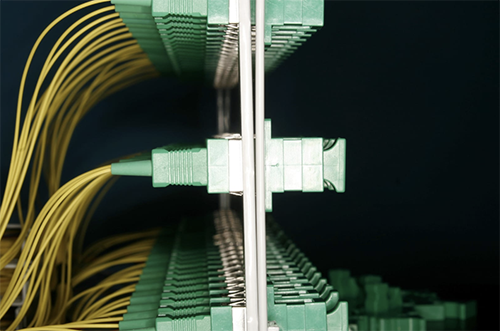
Fiber optic cabling transmits data as pulses of light through a glass or plastic core, rather than electrical signals through copper wire. The two main types used in commercial environments are:
- Multimode fiber (OM3/OM4): Designed for shorter distances — typically up to 300–400 meters. Used for intra-building backbone connections, MDF-to-IDF runs, and data center links. Less expensive than single-mode.
- Single-mode fiber (OS2): Designed for very long distances — kilometers, not meters. Used for campus environments, building-to-building connections, and carrier handoffs. More expensive but effectively unlimited range.
Fiber optic cable is immune to electromagnetic interference (EMI), which is a significant advantage in dense urban environments like Manhattan where electrical noise from elevators, HVAC systems, and neighboring infrastructure can degrade copper signal quality over longer runs.
Fiber also supports dramatically higher bandwidth than copper — 10G, 40G, and 100G are all achievable on fiber infrastructure that’s already installed today. See our fiber optic installation page for more on what a commercial fiber install involves.
Copper vs Fiber: Side-by-Side Comparison
| Specification | Copper (Cat6/Cat6A) | Fiber Optic |
| Max Speed | 1–10 Gbps | 10–100 Gbps+ |
| Max Distance | 100m (328 ft) | 300m–40km+ (type dependent) |
| EMI Resistance | Moderate | Complete immunity |
| PoE Support | Yes (PoE / PoE+ / PoE++) | No |
| Installation Cost | $ (lower) | $$–$$$ (higher) |
| Termination | Field-terminatable, easier | Requires precision, trained tech |
| Durability | Good | Excellent (glass doesn’t corrode) |
| Security | Can be tapped | Extremely difficult to tap |
| Best Use | Workstation drops, short runs | Backbone, long runs, inter-floor |
The Real Differences That Matter in an NYC Office
1. Distance: The Most Important Factor
Copper cabling has a hard limit of 100 meters (328 feet) per run. That covers the vast majority of workstation drops in a typical office — most desks are within 50–80 meters of the IT room.
But in NYC commercial environments, distance becomes a real issue the moment you’re connecting across floors, between buildings, or in large floor plates. A 30-story Manhattan tower might have an MDF on the ground floor and IDFs on every third floor — the vertical run alone can exceed copper’s limit.
Rule of thumb: If a cable run exceeds 90 meters, or if you’re connecting floors or buildings, fiber is required. Copper stops being an option — not a preference.
2. Bandwidth: Planning for Where You’re Going
Cat6 copper handles 1 Gbps — more than enough for today’s standard office workloads. Cat6A pushes that to 10 Gbps. Fiber starts at 10 Gbps and scales to 100 Gbps and beyond on the same physical cable.
For most offices, the bandwidth difference between Cat6A and fiber doesn’t matter at the workstation level — your users aren’t saturating a 1G connection. But at the backbone level, where your switches are aggregating traffic from 50, 100, or 200 users simultaneously, the bandwidth headroom fiber provides is genuinely valuable.
Verdict: Copper handles workstation bandwidth comfortably. Fiber at the backbone ensures your core infrastructure never becomes the bottleneck as your business grows.
3. EMI Interference: A Real NYC Problem
This is one factor that gets undersold in generic cabling guides but matters specifically in New York City. Dense urban environments are electrically noisy — elevators, HVAC systems, high-voltage power runs, neighboring data centers, and subway infrastructure all generate electromagnetic interference that can degrade copper signal quality.
In most standard office environments, this isn’t a problem for short copper runs. But on longer runs — particularly vertical runs through electrical risers — EMI can cause real performance issues. Fiber is completely immune. Light doesn’t care about electromagnetic noise.
Verdict: For standard office drops, EMI is rarely a practical issue with properly installed Cat6. For long runs, risers, or any environment with heavy electrical infrastructure nearby, fiber’s immunity is a genuine advantage.
4. Power over Ethernet (PoE): Copper’s Exclusive Advantage
This is the one area where copper has a definitive edge that fiber cannot match. PoE allows a single cable to carry both data and power to a device — eliminating the need for a separate power outlet at every access point, IP phone, or camera location.
- Standard PoE (802.3af): Up to 15.4W — powers basic IP phones and older access points
- PoE+ (802.3at): Up to 30W — powers modern wireless access points
- PoE++ (802.3bt): Up to 90W — powers PTZ cameras, video conferencing systems, digital signage
Fiber cannot carry power. Any device that needs PoE — wireless access points, IP phones, security cameras, door access readers — must be connected via copper. This is a fundamental constraint, not a limitation that can be designed around.
Verdict: Any device that needs power delivered over the cable requires copper. Full stop.
5. Installation Cost and Complexity
Copper is less expensive to install than fiber — both in materials and labor. Cat6 cable costs a fraction of fiber per foot, and terminating copper keystones is a straightforward skill that any qualified cabling technician can perform in the field.
Fiber termination requires more precision, specialized tools, and trained technicians. Fusion splicing (the preferred method for permanent installations) requires equipment and expertise that not every cabling contractor has in-house. Field-terminated fiber connectors are an option but introduce more risk of signal loss if not done correctly.
The cost premium for fiber is worth it where fiber is genuinely required. It’s not worth it for workstation drops where copper performs identically at a fraction of the cost.
Verdict: Copper is meaningfully less expensive for standard drops. Use fiber where its specific advantages — distance, bandwidth, EMI immunity — are actually needed.
6. Security
Fiber optic cabling is significantly more secure than copper. Tapping a copper cable — intercepting the electrical signal — is technically feasible and has been demonstrated in real-world attacks. Tapping fiber requires physically breaking the glass core, which interrupts transmission and is immediately detectable.
For most commercial offices, this distinction is academic. But for financial services firms, law firms, healthcare providers, and any organization handling sensitive data, fiber’s security advantage is worth factoring into backbone decisions.
Verdict: Fiber is more secure. For environments handling sensitive data, fiber backbone cabling is a meaningful security upgrade.
How NYC Offices Typically Use Both Copper and Fiber
In practice, the copper vs fiber question isn’t about choosing one or the other — it’s about understanding where each belongs in your network architecture.
Here’s how a typical well-designed NYC office network is structured:
| Location | Cable Type | Why |
| Workstation drops | Cat6 copper | Cost-effective, PoE support, 1G sufficient |
| WAP drops | Cat6A copper | PoE required, 10G backhaul for WiFi 6 |
| IP phone drops | Cat6 copper | PoE required, low bandwidth need |
| Security camera drops | Cat6 / Cat6A copper | PoE required (PoE++ for PTZ) |
| MDF to IDF (inter-floor) | OM4 multimode fiber | Exceeds copper distance, high bandwidth |
| Building-to-building | OS2 single-mode fiber | Long distance, EMI immunity |
| Server connections | Cat6A or fiber | 10G required for server backhaul |
This hybrid approach is what we recommend and install for the majority of our NYC commercial clients. The data cabling and network cabling pages on our site go into more detail on how we scope each layer of a complete installation.
When to Choose Copper
- Workstation and conference room drops — copper is the right answer for every standard horizontal run
- Any device that requires PoE — phones, WAPs, cameras, door readers
- Runs under 90 meters — copper handles it cleanly and cost-effectively
- Budget-conscious projects — copper delivers excellent performance at lower cost than fiber for standard applications
- Office fit-outs and relocations — the vast majority of drops in a standard office should be copper
When to Choose Fiber
- Inter-floor backbone runs — connecting MDF to IDF across floors
- Any run exceeding 90–100 meters — fiber has no practical distance limit for commercial applications
- Building-to-building connections — campus environments, data center links
- 10G or higher backbone — switch-to-switch connections in high-throughput environments
- EMI-sensitive environments — electrical risers, proximity to heavy machinery or high-voltage runs
- High-security environments — financial services, legal, healthcare, government
- Future-proofing a major fit-out — fiber infrastructure installed today supports bandwidth upgrades for decades
NYC-Specific Considerations
A few factors specific to New York City commercial buildings that should inform your copper vs fiber decision:
Vertical runs in high-rise buildings. Manhattan towers can have 40, 50, or 60 floors. Vertical cable runs from the basement MDF to upper-floor IDFs almost always require fiber — the distances exceed copper limits and the electrical riser environment benefits from fiber’s EMI immunity.
Pre-war and older building stock. Many older NYC commercial buildings have tight, congested risers with limited pathway capacity. Fiber’s smaller diameter and lighter weight make it easier to pull through congested pathways that copper struggles to navigate.
Multi-tenant floors. In NYC, it’s common for multiple businesses to occupy a single floor, each with their own IT room. Fiber provides secure, high-bandwidth connectivity between tenant spaces and the building’s main distribution point without the performance limitations of long copper runs.
Our office relocation cabling team assesses your building’s infrastructure during every site survey — including riser capacity, existing pathway availability, and floor-to-floor distances — before recommending a copper/fiber split.
Copper or Fiber? A Quick Decision Guide
Use copper if: The run is under 90m, the device needs PoE, or it’s a standard workstation / conference room / phone drop.
Use fiber if: The run exceeds 90m, you’re connecting floors or buildings, you need 10G+ backbone bandwidth, or the environment has significant EMI.
Use both if: You have a multi-floor office or campus environment — copper to every endpoint, fiber for the backbone. This is the correct architecture for most NYC commercial offices.
Not Sure What Your Office Needs? We’ll Figure It Out Together.
The copper vs fiber decision doesn’t need to be complicated. A site survey and a conversation about your floor plan, headcount, and IT requirements is usually enough to give you a clear answer — and a fixed-price quote for whichever approach makes sense.
New Tech Cabling installs copper and fiber cabling for commercial offices across Manhattan, Brooklyn, Queens, the Bronx, Staten Island, and the greater NYC metro area.
Contact us today for a free site survey. We’ll walk your space, assess your building infrastructure, and give you an honest recommendation — no pressure, no obligation.
📞 Phone: (212) 537-5965
📧 Email: info@newtechcabling.com
🌐 Website: newtechcabling.com
Recent Comments