
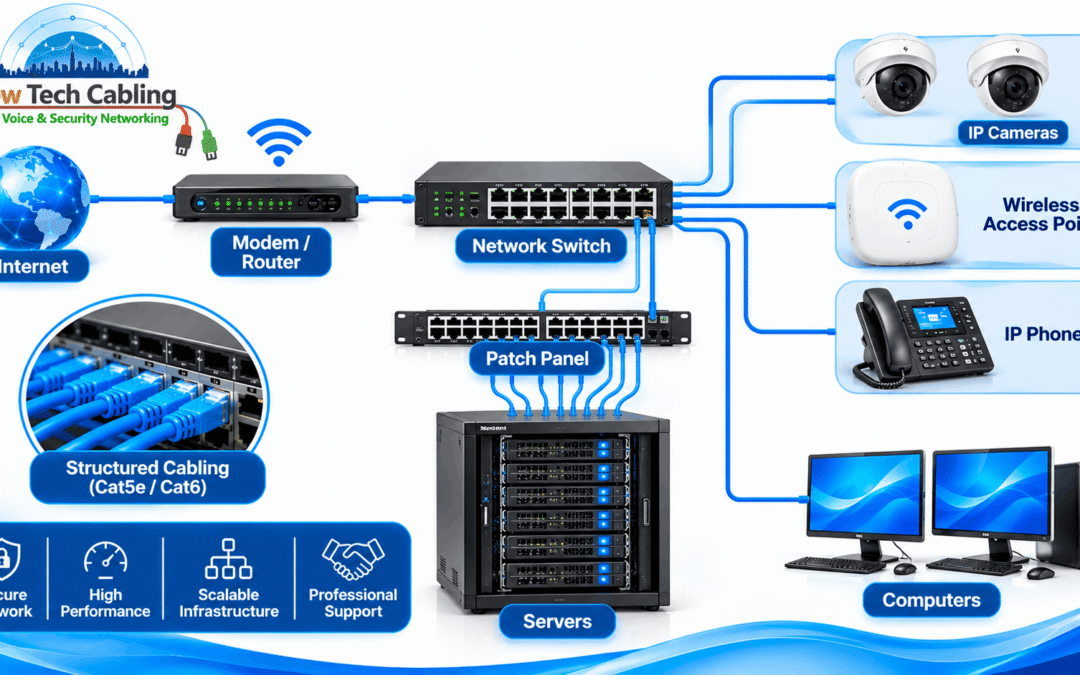
Network Infrastructure Services NYC
Network infrastructure services NYC businesses depend on are easy to ignore while everything works. The cables behind the walls, the patch panels in the closet and the links between floors carry every call, file and video meeting, and they only get attention when something slows down or stops. For an office manager or IT lead, a good provider is the difference between a network that is planned, tested and documented and one that has grown by accident.
This guide explains what professional network infrastructure services include, how they differ from IT support, when a business needs them, how a typical project runs and what to look for in a provider. It is written for office managers, IT managers and property managers in New York who want the foundation of their network done properly.
In this guide
What Are Network Infrastructure Services?
Quick answer: Network infrastructure services are the planning, installation, testing and maintenance of the physical foundation of a business network: structured cabling, fiber, racks, patch panels, equipment rooms and the links that connect switches, wireless access points, phones and cameras.
Think of it as everything between the wall jack and the equipment room. Software and settings can be changed from a laptop, but cable, pathways and closets cannot. As a result, mistakes at this layer are expensive to fix, which is why planning matters more here than almost anywhere else in IT.
What Network Infrastructure Services Include
| Service | What it covers | Typical trigger |
|---|---|---|
| Structured cabling | Copper cable runs, jacks, patch panels and labeling from each desk to the closet | New office, floor refit or growth |
| Fiber optic cabling | Backbone links between floors and rooms, plus splicing and termination | Long runs, high-bandwidth links, riser work |
| Wireless and PoE cabling | Cabling and power for access points, cameras and phones | Better Wi-Fi coverage, new cameras or door readers |
| IT rooms and server rooms | Racks, pathways, cable management and room layout | New or overcrowded equipment room |
| Testing and certification | Measuring each run against performance requirements, with written results | After installs and repairs, or when problems appear |
| Relocations and refurbishments | Planning cabling for a new space or a reworked floor | Office move or renovation |
| Repair and cable management | Fixing faults and tidying and labeling existing cabling | Outages, slowdowns, unlabeled or tangled cabling |
Several of these have their own guides. For example, our articles on server room cabling in NYC, PoE network installation in NYC and fiber optic splicing in NYC go deeper on specific parts of the infrastructure.
Network Infrastructure vs. IT Support: What Is the Difference?
| Network infrastructure services | IT support and managed services | |
|---|---|---|
| Focus | Cables, pathways, racks, closets and links | Users, software, security settings and devices |
| Typical work | Install, test, label and document the physical network | Configure switches and firewalls, manage accounts, fix user issues |
| When it matters most | Builds, moves, refits and physical faults | Day-to-day operation and security |
| Lifespan | Often stays in place for many years | Changes continuously |
Most businesses need both. The important thing is that the team handling the physical layer has hands-on cabling experience, and that it hands the IT team clean documentation to work from. If you are choosing between contractors, our guide to choosing a network cabling contractor in NYC covers the questions worth asking.
When Does a Business Need Network Infrastructure Services?
- You are moving or refurbishing. A move or renovation is the easiest time to get the cabling right, before furniture and ceilings are back in place.
- The network keeps slowing or dropping. Recurring faults often trace back to old, damaged or poorly terminated cabling.
- You are adding wireless, cameras or phones. Each needs a cable run, and often power over ethernet.
- The equipment room is crowded or unlabeled. If no one can tell which cable goes where, every change takes longer than it should.
- Your needs have outgrown the cabling. Faster links and more devices can push older cable past what it was designed to carry.
How a Network Infrastructure Project Works
- Survey and requirements. The provider walks the space, counts devices and locations and learns what the network must support.
- Design. Cable types, routes, closet locations and spare capacity are planned, including fiber backbones where needed.
- Building coordination. Access times, insurance paperwork and elevator bookings are arranged with building management.
- Installation. Racks, pathways and cable runs are installed, and fiber is spliced or terminated where needed.
- Termination and labeling. Every cable is terminated and clearly labeled at both ends.
- Testing. Each run is tested, and results are recorded.
- Handover and documentation. You receive labeled ports, test results and a record of what was installed.
Standards and Guidance That Shape Good Infrastructure
A professional provider designs to recognized standards, not habit. The international standard ISO/IEC 11801 covers generic cabling for customer premises, including office buildings. Wireless planning also leans on the IEEE 802.11 working group standards, because modern access points depend on strong wired links behind them. Some newer access points have uplinks faster than 1 Gbps, which is one reason Cat6 or Cat6A is common in new installs. For a closer look at that choice, see our comparison of Cat6 vs fiber for NYC offices.
Infrastructure also has a security side. CISA notes that network infrastructure devices are often easy targets and recommends steps such as segmenting networks and securing access to devices, which it covers in its guidance on securing network infrastructure devices. Your IT team or provider handles those settings. However, good physical planning makes them easier, for example by leaving room for separate links for cameras, door systems and guest Wi-Fi, and by keeping equipment rooms organized and documented.
Common Infrastructure Problems and How They Get Fixed
| Problem | What you notice | Typical fix |
|---|---|---|
| Old or low-grade cabling | Links that cannot sustain current speeds | Replace or add Cat6 or Cat6A, or fiber where it fits |
| Poor terminations or damaged runs | Intermittent drops, slow ports | Test, re-terminate or replace the affected runs |
| Unlabeled or tangled cabling | Changes and repairs take far too long | Trace, label and reorganize the cabling and patch panels |
| Overcrowded closet or rack | Heat, tangled cables, no room to grow | Add or rebuild racks, pathways and cable management |
| Not enough wired capacity for wireless | Weak or inconsistent Wi-Fi coverage | Add access point drops and power over ethernet |
| No documentation | No one knows what is installed or where | Survey, test and document the existing cabling |
Recurring symptoms are a sign to look at the foundation rather than keep patching. If a link has already failed, our guide to emergency network cabling repair can help you get back online, and a proper test afterward shows whether the cable was the cause.
Planning a network infrastructure project?
Tell us about your space, your equipment and your timeline. We can help you work out what needs to be installed, upgraded or documented.
Why Professional Network Infrastructure Services Matter
- Fewer outages. Properly terminated, tested cable is far less likely to cause intermittent faults.
- Room to grow. Spare capacity and clean pathways let you add devices without reopening ceilings.
- Faster troubleshooting. Labels and records turn an hours-long search into a quick fix.
- Fewer surprises at handover. Test results show the network meets requirements before anyone depends on it.
- Lower long-term cost. Doing the foundation once, correctly, is usually cheaper than repeated repairs.
Ready to talk through your network project?
Whether it is a new office, a move or an upgrade to an existing floor, we can help you plan the infrastructure before work starts.
Network Infrastructure in New York City Buildings
New York buildings add conditions that affect how infrastructure work is planned. Older buildings often have cable paths that have been extended and rerouted by many tenants. Shared risers and telecom rooms, tight ceilings and strict rules on working hours, insurance and freight elevators all shape the schedule. In addition, ceiling cable usually has to meet fire-rating requirements, so cable choice is part of the plan from the start.
Manhattan high-rises tend to involve longer vertical runs and shared building spaces, while Brooklyn and Queens have many converted industrial buildings with harder-to-trace cabling. The Bronx and Staten Island often involve smaller commercial properties. New Tech Cabling supports businesses in Manhattan, Brooklyn, Queens, the Bronx and Staten Island.
How to Choose a Network Infrastructure Services Provider in NYC
Before you hire, ask these questions:
- Do they handle both copper and fiber? Most offices need a mix.
- Do they test every run and provide the results? Written test records are standard practice.
- Will you receive labeling and documentation? You should be able to find any cable later.
- Can they plan for growth? Spare capacity should be part of the design.
- Do they know how to work in New York buildings? Access rules, insurance certificates and after-hours work are routine here.
- Can they work with your IT team? Clean handover makes everything that runs on the network easier.
- Is the scope clear in writing? Know what is included, and what would change the price.
New Tech Cabling works on structured cabling, fiber, low voltage, IT room and data center build-outs, relocations and cable management for New York businesses. These are fair questions to ask us or any other contractor, and the answers should be specific.
Frequently Asked Questions About Network Infrastructure Services in NYC
What are network infrastructure services?
Network infrastructure services cover the planning, installation, testing and upkeep of the physical and supporting parts of a business network. That includes structured cabling, fiber, racks and patch panels, equipment rooms, and the cabling that connects switches, wireless access points, phones and cameras.
What is the difference between network infrastructure and IT support?
Network infrastructure is the foundation: cables, pathways, racks, closets and the links between them. IT support or managed services handle what runs on top, such as users, software, security settings and device configuration. Many businesses need both, working together.
What does network infrastructure include in an office?
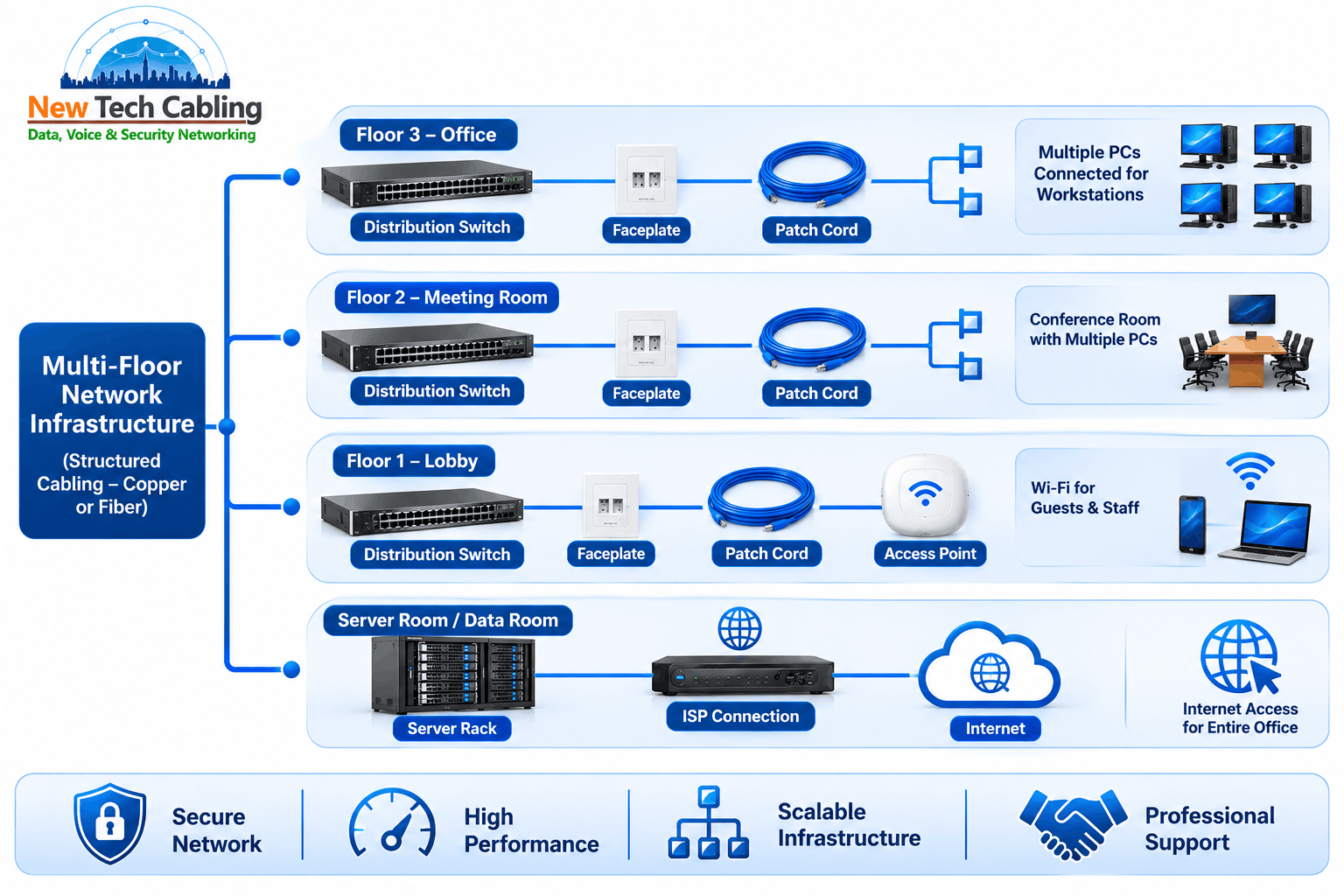
In an office it usually includes the cable runs to every desk and room, the patch panels and switches in the telecom closet, backbone links between floors, the cabling for wireless access points, and any server or IT room. Power, labeling and documentation are part of it too.
When should a business upgrade its network infrastructure?
Common triggers are an office move or refurbishment, frequent slowdowns or dropped links, adding wireless access points or cameras, outgrowing the closet, and cabling that is old, unlabeled or no longer matches the equipment it supports.
How long does a network infrastructure project take?
It depends on the number of cable runs, the size of the space, building access rules and how much testing and documentation is needed. A small office can be done in days, while a multi-floor project takes longer and is usually scheduled around the building’s working-hour rules.
How much do network infrastructure services cost in NYC?
Cost depends on scope: the number of drops, cable type, fiber needs, how hard the cable is to route, building rules and testing requirements. A site visit and written scope is the reliable way to get an accurate quote.
Building a Network Foundation That Lasts
A good network infrastructure is one you rarely think about. The cabling is tested, the closet is organized, every port is labeled and there is room to add more. Getting there takes planning, the right materials and a provider who documents the work. If you are building, moving, upgrading or untangling a network in New York, a short conversation early on can save a great deal of rework later.
Talk to our team about your network infrastructure
Share your space, equipment and timeline, and we will help you plan the next step.
📞 Phone: (212) 537-5965
📧 Email: info@newtechcabling.com
🌐 Website: newtechcabling.com
Recent Comments