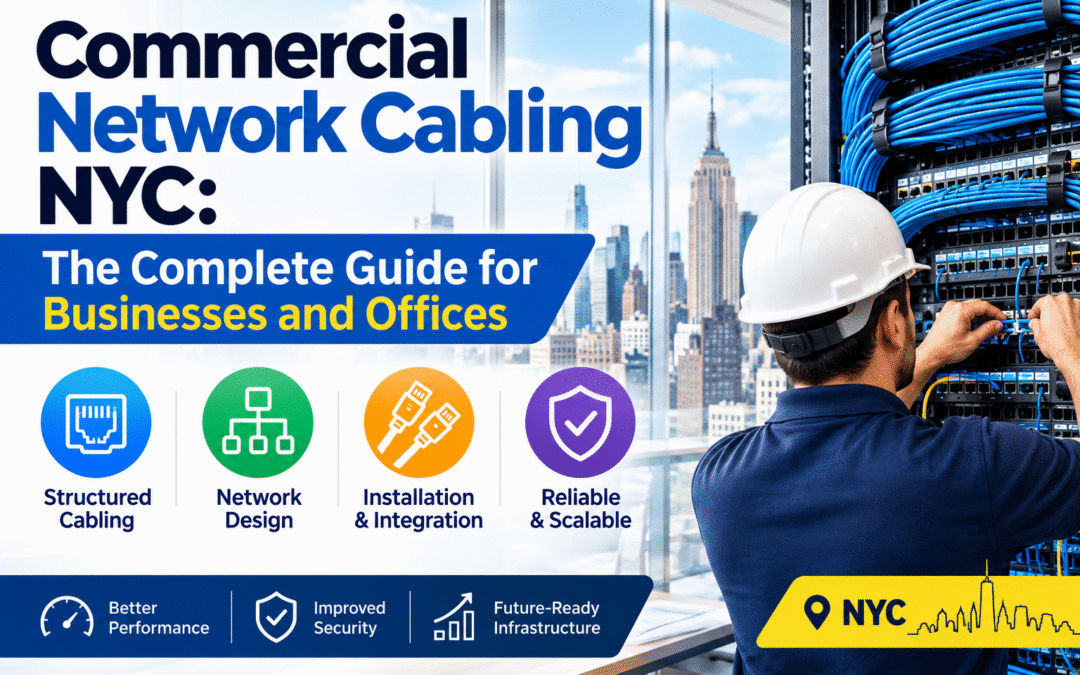
Commercial Network Cabling NYC: The Complete Guide for Businesses and Offices
Every call, video meeting, cloud app and security camera in a New York business depends on one thing: the cabling behind the walls. When commercial network cabling in NYC is planned and installed well, nobody notices it. When it is not, the whole company feels it through dropped connections, slow files, failed phones and unplanned downtime. New Tech Cabling, based in Midtown Manhattan, designs, installs, tests and documents the cabling that keeps New York businesses connected.
This guide explains what commercial network cabling includes, which systems and cable types businesses use, what makes cabling in New York buildings different, how a professional installation works and what affects the cost. You can also browse our full list of network cabling services.
In this guide
- What commercial network cabling is
- What a commercial cabling project includes
- Systems that run on commercial cabling
- Cat6 vs. Cat6A vs. fiber
- Industries we support
- Commercial cabling challenges in NYC buildings
- Our installation process
- Standards and codes
- What affects the cost
- Signs your business needs a cabling upgrade
- Common mistakes to avoid
- How to choose a cabling company in NYC
- Service areas
- Frequently asked questions
What Is Commercial Network Cabling?
Commercial network cabling is the permanent system of cables, jacks, panels, racks and pathways that carries data, voice and other signals through a business building. It is usually installed as structured cabling, which means one organized, standards-based system that connects every desk, meeting room and device to a central equipment room.
It differs from home wiring in scale, performance and rules. Commercial buildings need more connections, higher speeds, tighter organization and compliance with building and fire codes. The cabling also has to be documented and easy to change, because businesses grow, move and rearrange often. Switches, servers, phones and Wi-Fi are only as dependable as the cabling that connects them.
What a Commercial Network Cabling Project Includes
- Horizontal cabling: The cable that runs from the equipment room to each wall jack or device location on a floor. It sits inside walls and ceilings, so it is the hardest part to change later, and choosing the right cable type at the start protects your speed for years.
- Backbone cabling: The main links that connect floors, closets and server rooms, often using fiber. Every floor sends its traffic back to the core through the backbone, so a weak backbone slows the whole building.
- Patch panels, racks and cable management: The equipment that organizes where cables end and connect to switches. A tidy rack makes problems easy to trace and lets you change a connection by moving a short cord instead of touching the permanent wiring.
- Wall jacks and faceplates: The connection points at each work area. They give every desk a clean, standard port and protect the cable ends from wear and damage.
- Wi-Fi access point cabling: The cable that feeds each wireless access point, often with Power over Ethernet so one cable carries data and power. Wi-Fi performs only as well as the wired link behind it.
- Testing and certification: Every run is tested before handover to confirm it performs as it should. This catches bad terminations and damaged cable while they are still easy to fix.
- Labeling and documentation: Every cable, jack and port is labeled and recorded. Clear records turn an hour of tracing wires into a five-minute fix, and they save time on every future change.

Systems That Run on Commercial Network Cabling
- Data networks: Ethernet connections for computers, printers and servers. This carries email, cloud apps, file sharing and internet access, and its quality sets the speed and reliability of everything else.
- Voice and VoIP: Office phone systems and conferencing equipment. VoIP phones share the data cabling and are often powered through it, so stable cabling means clear calls without echo or dropouts.
- Wi-Fi networks: Access points placed around the office for laptops, phones and visitors. Each needs its own cable back to a switch, and good placement and good cabling together give full-speed coverage with no dead zones.
- Security and surveillance: IP cameras, alarm systems and recording equipment. Cameras send video over the cable and can often be powered by it, so reliable cabling means footage records without gaps. See our security systems cabling.
- Access control: Card readers, door controllers and intercoms. These control who enters and when, and they depend on a constant connection to work.
- Audio and video: Conference rooms, displays, digital signage and sound systems. Meeting rooms need cable for screens, cameras, microphones and speakers, ideally on hidden routes. See our conference room design build out.
- IT rooms and data centers: The equipment spaces where every cable ends. Racks, power, cooling and cable management here decide how reliable and serviceable the whole network is. See our IT room build out and data center build out.
Planning these systems together lets one organized infrastructure serve all of them, which costs less and causes less disruption than adding each one separately later.
Choosing Cable Types: Cat6 vs. Cat6A vs. Fiber
The right cable depends on your speed needs, distances and budget. Here is a simple comparison:
| Cable | Typical speed and distance | Best for |
|---|---|---|
| Cat5e | 1 Gbps up to 100 m | Existing installs; usually not recommended for new commercial projects |
| Cat6 | 1 Gbps up to 100 m; 10 Gbps over shorter runs (about 55 m) | Most small and mid-sized offices |
| Cat6A | 10 Gbps up to 100 m | Heavy data use, many PoE devices and future-proofing |
| Fiber optic | Very high bandwidth over long distances | Backbone links between floors, closets and server rooms |
Not sure which fits? We recommend a mix based on your actual usage, not an oversized package you do not need. For a deeper technical reference, download our white paper on cable and wiring types.
Industries We Support in New York
- Law firms and accounting offices: These need secure, dependable connections for confidential client files and constant document work, with no tolerance for outages near deadlines.
- Creative agencies and media studios: Large design, video and audio files move across the network all day, so fast, consistent wired connections save real production time.
- Healthcare and dental practices: Patient records, imaging and scheduling systems rely on reliable networks, and downtime affects patient care and billing.
- Financial and consulting firms: Trading, analysis and client calls cannot afford downtime, so network stability and clear documentation matter.
- Startups and coworking spaces: Teams grow fast and layouts change often, so cabling with spare capacity and clear labeling lets the network keep up.
- Retail and showroom locations: Point-of-sale systems, cameras and guest Wi-Fi all need dependable connections, and clean installs matter in customer-facing spaces.
Commercial Network Cabling Challenges in NYC Buildings
- Building rules: Many buildings require certificates of insurance, approved contractors and advance scheduling. Missing paperwork can keep a crew out of the building, so a contractor who handles this early keeps your project on schedule.
- Freight elevators: Materials and equipment often have to be booked through building management. Time slots are limited, so tools, cable and racks must be planned and delivered within the window you are given.
- After-hours work: Some buildings only allow noisy or disruptive work in the evening or on weekends. This affects scheduling and sometimes cost, but it keeps your team and neighboring tenants undisturbed.
- Older buildings: Legacy wiring, limited pathways and tight ceilings make routing more complex. Pre-war buildings may have thick walls and old abandoned cable, so routes need to be surveyed with care.
- Shared risers: Connections between floors may need to go through building-controlled pathways. Access may need landlord approval, and space is often limited, so linking floors takes coordination with property management.
- Fire-rated spaces: Cable in air-handling ceiling spaces generally needs to be plenum-rated, and openings through fire-rated walls must be properly handled under local codes. Using the wrong cable can fail an inspection and force rework.
- High-rise logistics: Moving equipment up tall buildings, working across many floors and coordinating with other tenants all add planning time. Experience with Manhattan towers helps avoid delays.
Our Commercial Network Cabling Installation Process
- Site survey and consultation: We visit your space to assess your floor plan, user count, equipment and building requirements. We also ask which areas have problems today and how much you expect to grow, so the design fits your business.
- Custom cabling design and quote: You receive a clear layout showing drop locations, cable types, pathways and equipment rooms, with a transparent written quote so you know the scope and cost before work begins.
- Building coordination: We work with your property manager on access, insurance paperwork, freight elevator use and scheduling. Handling these early helps avoid delays on installation day.
- Professional installation: Our technicians run, terminate and label every cable, keeping your workspace clean and minimizing disruption. Cables are routed and supported neatly instead of being left loose.
- Testing: Every connection is tested for speed and reliability before handover. Any run that does not perform as it should is corrected before the job is considered complete.
- Documentation and support: You get clear records of what was installed, including labeled ports and cable locations, and help when you need changes. We can extend the network as your business grows.
For larger projects, our low voltage cabling design-build and project management services keep planning, installation and scheduling under one team.
Standards and Codes That Apply
Professional commercial cabling follows recognized standards. Organizations such as BICSI and the Telecommunications Industry Association (TIA) publish the guidance that structured cabling design is built on, and electrical work in buildings is governed by codes such as NFPA 70, the National Electrical Code. In practice this affects cable ratings in ceiling spaces, separation from power cabling, firestopping where cable passes through fire-rated walls and how pathways are built. Local requirements may add more, so check with your building management and the New York City Department of Buildings.
What Affects the Cost of Commercial Network Cabling in NYC?
- The number of drops and the systems connected: Each drop needs a cable run, a termination and testing, so cost rises with the count. Adding phones, cameras, card readers and meeting room equipment adds runs and planning time, and spare drops are cheaper to include now than to add later.
- Cable type and rating (Cat6, Cat6A, fiber, plenum): Cat6A costs more than Cat6 for both cable and labor but gives more speed headroom. Fiber is priced separately, and plenum-rated cable, generally required in air-handling spaces, costs more than standard cable.
- Building construction and how hard the routes are to reach: Open ceilings are quick to work in. Hard ceilings, concrete, masonry walls and crowded pathways take more time and labor, so the same drop count can cost very different amounts in different buildings.
- Racks, patch panels and IT room work: A small office may need only a wall-mounted panel, while a larger one needs racks, cable management, power and cooling. The bigger the equipment room, the more it adds to the total.
- Backbone and fiber requirements: Linking floors or separate rooms with fiber or heavy copper adds materials, special termination and testing, and coordination with building risers.
- Building rules, after-hours work and insurance requirements: Work limited to evenings or weekends, insurance certificates and booked elevator time all add scheduling effort and sometimes cost.
- Schedule pressure: A tight move-in date may need more technicians at once or extra hours. Starting early is one of the best ways to keep this cost down.
- Whether existing cabling can be reused or must be removed: Good existing cable can sometimes be tested, labeled and reused, which saves money. Old or abandoned cable may need to be removed, which adds labor, and some buildings require it.
The most reliable way to get an accurate figure is a site survey followed by a detailed written quote. Contact our team to start that conversation.
Signs Your Business Needs a Network Cabling Upgrade
- Wi-Fi that drops or slows in certain rooms or at busy times: Dead spots and slowdowns usually point to poorly placed access points or weak cabling behind them, and adding more routers rarely fixes it.
- Video calls that freeze or lag: Choppy audio and frozen video often come from an overloaded network or a weak link between the switch and the user, and clients notice it.
- Slow access to shared drives, cloud software or VoIP phones: Files that take minutes to open and calls with echo suggest the network is struggling, often from faulty cabling or old equipment.
- Cables running across floors or taped along walls: Loose cables are a trip hazard and easily damaged. They also usually mean there are too few jacks where people sit.
- Old Cat5 cabling that cannot support modern speeds: Cat5 was built for much slower networks, and it may limit your speed no matter how fast your internet plan is.
- Not enough network ports for your current team: Staff sharing jacks with splitters or small desktop switches have outgrown their cabling, and planned extra ports are cheaper than patching in more later.
- A server closet or rack that is disorganized or overheating: Tangled, unlabeled cables make every repair slow, and a hot closet shortens equipment life and can cause unexpected outages.
Spotting two or three of these signs is a good reason to book an assessment. A professional can test your existing cabling and tell you whether you need a small fix or a full upgrade.
Common Commercial Cabling Mistakes to Avoid
- Installing too few drops. Adding jacks later costs more than planning extra ports up front, because each addition means another visit, more ceiling and wall work and often more building paperwork.
- Choosing the cheapest cable. Low-quality cable can cause slow speeds and failures, especially with PoE devices, and saving a little on cable can cost far more in repairs and downtime.
- Skipping testing. Untested cabling often hides faults that only appear later. Testing every run before handover catches problems while they are still easy to fix.
- No labeling or documentation. Unlabeled ports turn small changes into long troubleshooting sessions, while clear labels and records make them take seconds.
- Ignoring building rules. Missing insurance paperwork or elevator bookings can delay a project, and in Manhattan a crew without the right documents may be turned away at the door.
- Forgetting future growth. A network sized exactly for today’s headcount is full the day you hire the next person, so plan spare ports, switch capacity and room in the equipment area.
- Hiring too late. Bring a cabling contractor in during design, not after build-out, because once ceilings are closed every run is harder and more expensive.
- Running cable too close to power lines. Cabling laid alongside electrical wiring can pick up interference and slow down, so proper routing and separation keep the signal clean.
How to Choose a Commercial Network Cabling Company in NYC
- Ask about standards. A good contractor designs to recognized structured cabling standards and can explain how they apply them to your space.
- Ask about testing. Every run should be tested, with results available on request, because untested cabling can hide faults that show up weeks later.
- Ask about labeling and documentation. You should receive clear records at handover, since they save time and money on every future change or repair.
- Check building experience. Familiarity with Manhattan commercial buildings, including insurance, elevator bookings, work-hour limits and riser access, avoids delays that could push back your move-in date.
- Look for breadth. One contractor who can handle data, voice, security and audio/video avoids coordination problems and keeps responsibility in one place.
- Get a written scope and quote. It should list the cable types, number of drops, equipment and schedule, which prevents surprises and lets you compare bids fairly.
- Check support after the job. Moves, adds and changes will come up, so ask who handles them and how quickly they respond.
- Ask for references and reviews. Past work and client feedback give you a better picture than a sales pitch.
Want to see how other clients feel about working with us? Read and leave reviews on Yelp, or read more tips on our blog.
Why Choose New Tech Cabling for Commercial Network Cabling in NYC?
- Local knowledge of Manhattan commercial buildings: We are based in Midtown Manhattan and know the access, insurance and scheduling requirements buildings commonly set.
- Experience across voice/VoIP, data, security and audio/video cabling: One team can plan phones, computers, cameras and conference rooms together on one organized infrastructure.
- Clean, labeled and well-documented work: Tidy routing, labeled ports and clear records make your network easy to support and change later.
- Transparent quotes and clear communication: You receive a written scope and price before work begins and stay informed about schedule and progress.
- Support for moves, adds and changes: When your team grows or you rearrange the office, we can extend or change the system, including relocations, without starting over.
Commercial Network Cabling Service Areas in New York
New Tech Cabling is located in the heart of Midtown Manhattan, at the corner of 5th Avenue and 34th Street. We serve businesses and buildings throughout Manhattan, including Midtown, the Financial District, Chelsea, SoHo, Tribeca, Hudson Yards and the Flatiron District, as well as Brooklyn, Upper Manhattan, Jersey City, Hoboken and Union City.
Frequently Asked Questions About Commercial Network Cabling in NYC
What is commercial network cabling?
It is the structured system of cables, jacks, panels, racks and pathways that carries data, voice and other signals through a business building, installed to recognized standards and documented for future changes.
How much does commercial network cabling cost in NYC?
Cost depends on the number of drops, cable type, building construction, equipment room needs and building rules. A site survey followed by a written quote is the most reliable way to get an accurate figure.
Should my business choose Cat6 or Cat6A?
Cat6 suits most small and mid-sized offices. Cat6A is a better choice for heavy data use, many PoE devices or future-proofing for 10 Gbps speeds.
How long does a commercial cabling installation take?
Small offices are often completed in one to two days of installation. Larger or multi-floor projects take longer, and planning, approvals and scheduling add time before installation begins.
Can you work in an occupied office?
Yes. We plan the work to minimize disruption to your team and to follow your building’s rules, including after-hours scheduling where required.
Can you upgrade our existing cabling?
Yes. We can audit your current setup, label and document it and upgrade outdated runs without a full rebuild where possible.
Do you handle building paperwork and approvals?
Yes. We work with your property manager on access, insurance paperwork, freight elevator use and scheduling.
Do you test and document the cabling?
Yes. Every connection is tested and labeled, and you receive documentation of what was installed.
Which areas do you serve?
We serve Manhattan, Brooklyn, Upper Manhattan, Jersey City, Hoboken and Union City.
Request a Commercial Network Cabling Quote in NYC
Ready for a network your business can rely on? Contact New Tech Cabling for commercial network cabling in NYC. Our team will assess your space, recommend the right solution and deliver clean, documented work.
Call (212) 537-5965 | Schedule a consultation
Email: info@newtechcabling.com
Hours: Monday to Friday, 7:00 am to 6:00 pm
Location: 5th Avenue and 34th Street, Midtown Manhattan, New York
Learn more: Network installations | All services | Low voltage cabling installation | New Tech Cabling home
Recent Comments