
Security Camera Cabling NYC: What Every Business Owner Should Know Before Installing CCTV
If you’re searching for security camera cabling in NYC, chances are one of two things has happened. Either your existing system keeps dropping footage at the worst possible moment, or you’re planning a new install and don’t want to make the same mistake half of Manhattan’s building owners have already made — hiring someone who treats cabling as an afterthought. Either way, you’ve landed in the right place.
Cabling is the part nobody notices until it fails. Cameras get all the attention, but the wiring behind the wall is what decides whether your footage actually shows up when you need it — during a break-in, a liability claim, or a routine compliance check. In a city like New York, where buildings are old, walls are packed with other systems, and every floor seems to have its own quirks, that wiring has to be planned, not improvised.
Table of Contents
- Introduction
- Why Security Camera Cabling Matters in NYC
- What Professional Security Camera Cabling Actually Involves
- How Security Camera Cabling Works
- Quick Facts
- Features to Look For in a Cabling Contractor
- Feature Comparison: DIY vs. Professional Cabling
- Get a Quote
- Frequently Asked Questions
Introduction
Every security system, no matter how advanced the cameras are, lives or dies by its cabling. That’s the part most people overlook, and it’s exactly why so many NYC businesses end up replacing an entire setup within a couple of years instead of simply maintaining one. Whether you’re outfitting a retail storefront in Queens, a warehouse in Brooklyn, or an office tower in Manhattan, getting the cabling right the first time saves you money, downtime, and a fair amount of frustration down the road.
Why Security Camera Cabling Matters in NYC
NYC buildings weren’t designed with modern CCTV in mind. Older structures often have plaster walls, shared conduit space, and electrical interference from HVAC units, elevators, or neighboring tenants — all of which can degrade a poorly shielded cable run. That’s why cabling here isn’t a one-size-fits-all job. A cable path that works fine in a suburban office won’t necessarily hold up in a pre-war Manhattan building.
On top of that, permitting and fire code requirements in NYC are stricter than in most cities. Plenum-rated cabling, proper fire-stopping at floor penetrations, and code-compliant pathways aren’t optional extras — they’re requirements. Skip them, and you’re not just risking a failed inspection; you’re risking a system that simply doesn’t perform when it matters most.
What Professional Security Camera Cabling Actually Involves
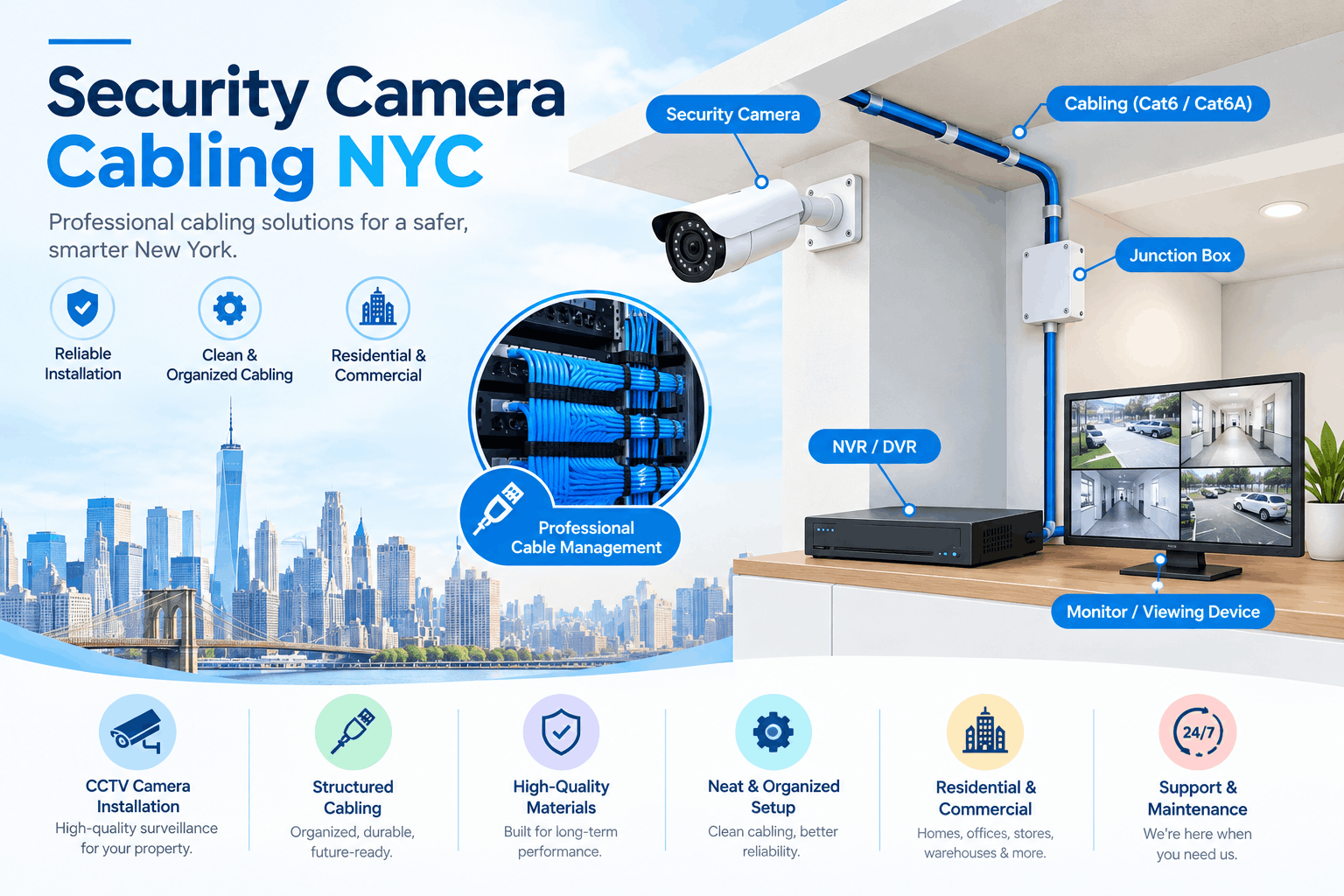
At its core, security camera cabling is the structured wiring — typically Cat6 or Cat6A for IP cameras — that carries both power and data from each camera back to your recorder or network switch. Done properly, it includes a few things that are easy to underestimate:
- Site survey and camera placement mapping — planning routes before a single cable is pulled
- Structured, labeled runs — so troubleshooting later takes minutes, not hours
- PoE (Power over Ethernet) planning — eliminating the need for separate power lines to each camera
- Code-compliant pathways — plenum-rated cable, proper conduit, and fire-stopping where required
- Testing and certification — verifying every run before the system goes live
Miss any one of these, and you end up with a system that looks fine on installation day but starts causing headaches within months. That’s the difference a low-voltage specialist brings versus a general handyman or an AV installer moonlighting in security work.
How Security Camera Cabling Works
It’s easier to understand once you break it down step by step. Here’s what actually happens when a professional runs security camera cabling in a commercial NYC building:
- Site survey — a technician walks the property, maps out camera positions, and figures out the shortest, safest pathway for each cable run back to the central switch or recorder.
- Pathway planning — routes are chosen to avoid electrical interference, meet fire code, and stay clear of shared conduit space with other building systems.
- Cable pulling — Cat6 or Cat6A cable is run from each camera location back to the network switch, following the planned pathway through walls, ceilings, or conduit.
- PoE connection — instead of wiring separate power lines, each camera draws power directly through the same Ethernet cable via a PoE switch or injector.
- Termination and labeling — every cable end is properly terminated and labeled, so it’s clear which run connects to which camera.
- Testing and certification — each cable run is tested for signal integrity and speed before the camera is mounted and powered on.
- Final walkthrough — cameras are activated, footage is checked on the recorder, and the whole system is verified before the crew leaves.
This sequence is what separates a system that holds up for years from one that starts glitching within a few months.
Quick Facts
| Detail | Standard for NYC Commercial Installs |
|---|---|
| Cable type | Cat6 / Cat6A shielded, plenum-rated where required |
| Power delivery | PoE / PoE+ over the same data cable |
| Max recommended run length | ~295 ft (90m) per NEC/TIA guidelines |
| Code compliance | NYC Fire Code + NEC Article 800/725 |
| Typical install timeline | 1–5 days, depending on camera count and building type |
Features to Look For in a Cabling Contractor
Not every low-voltage contractor is equally equipped for a job in New York City. Before you sign off on a quote, it’s worth checking whether the contractor offers:
- Licensed, insured technicians familiar with NYC building codes
- Experience with both new construction and retrofit cabling in older buildings
- Cable testing and certification reports, not just a verbal “it’s working”
- Clear labeling and documentation so future technicians (or you) aren’t left guessing
- A single point of contact who can also handle related network cabling (newtechcabling.com/network-cabling-contractor-nyc/) and low-voltage cabling in Manhattan (newtechcabling.com/low-voltage-cabling-contractor-manhattan/), so your building’s infrastructure isn’t split across five different vendors
That last point matters more than people expect. A contractor who understands your building’s full low-voltage picture — cameras, data, access control — will design a cabling layout that works together instead of fighting for the same conduit space.
Feature Comparison: DIY vs. Professional Cabling
| Factor | DIY / Handyman Install | Professional Low-Voltage Cabling |
|---|---|---|
| Cable quality & rating | Often non-plenum, unshielded | Plenum-rated, shielded Cat6/6A |
| Code compliance | Rarely checked | Verified against NYC Fire Code & NEC |
| Cable testing | None or informal | Certified test results provided |
| Documentation | Usually missing | Labeled runs, as-built diagrams |
| Long-term reliability | Frequent signal loss, dropouts | Stable, consistent uptime |
| Insurance/liability coverage | Typically none | Licensed & insured work |
Get a Quote
Ready to get your security camera cabling done right the first time?
Frequently Asked Questions
How much does security camera cabling cost in NYC?
Pricing depends on the number of cameras, run lengths, and whether it’s new construction or a retrofit in an older building. Most commercial jobs are quoted after a short site survey, since NYC buildings vary so much in layout and access.
Can existing cabling be reused for a camera upgrade?
Sometimes. If the existing runs are Cat6 or better, properly rated, and in good condition, a technician can often reuse them. Older coax or Cat5 runs usually need to be replaced to support modern IP cameras and PoE.
Do I need a permit for security camera cabling in NYC?
Larger commercial installs, especially those involving conduit runs through fire-rated walls or floors, typically require permits and inspection. A licensed low-voltage contractor will handle this as part of the project.
How long does a typical installation take?
A small office or retail space with a handful of cameras is usually done in a day or two. Larger buildings with more cameras, longer runs, or multiple floors can take anywhere from three to five days.
What’s the difference between security camera cabling and general network cabling?
They use similar cable types, but camera cabling has to account for PoE power delivery, camera placement logistics, and often longer, more exposed runs. A contractor experienced in both network cabling and security systems will design the two to work together rather than compete for space.
Recent Comments