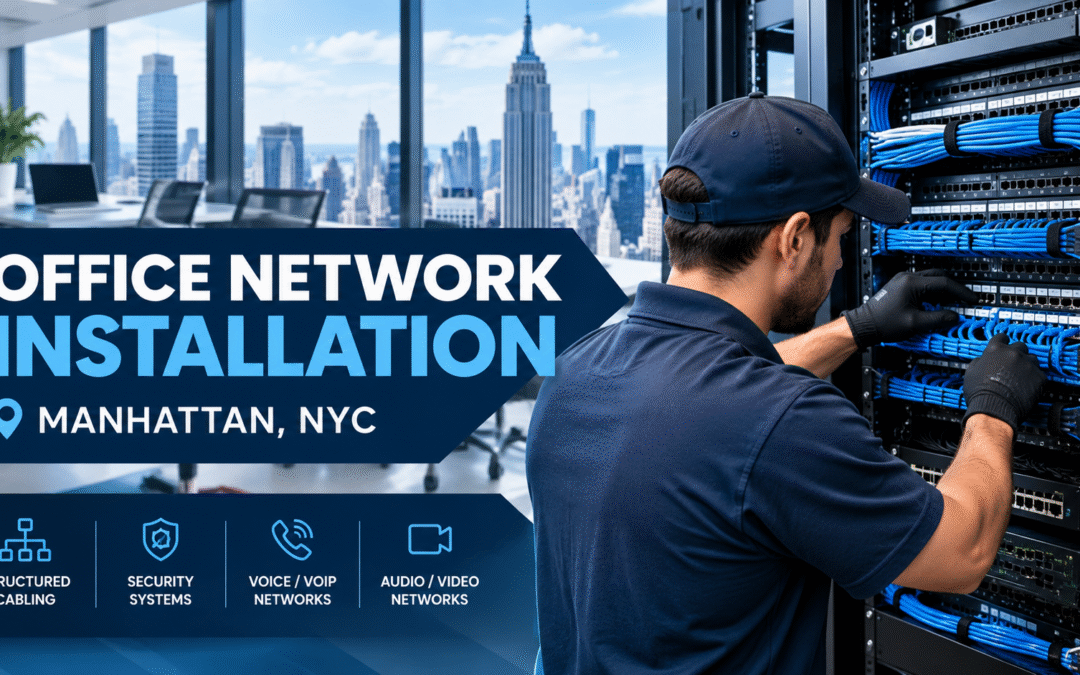
Office Network Installation in Manhattan, NY: A Complete Guide for Businesses
In a city that never slows down, a weak or unreliable network can cost your business time, clients and money. Professional office network installation gives your Manhattan team the speed, security and stability it needs to work without interruption. New Tech Cabling helps offices across New York City build networks that are ready for today’s workload and tomorrow’s growth.
Whether you are opening a new space in Midtown, expanding a floor in the Financial District or relocating a growing team to SoHo, this guide explains what a proper network setup involves, what affects the price and how to choose the right cabling partner. You can also browse our full range of network cabling services.
In this guide
- Why professional installation matters in Manhattan
- Signs your office needs a network upgrade
- What our network cabling services include
- Cat6 vs. Cat6A vs. fiber
- Our installation process
- What affects the cost
- Planning checklist
- Industries and service areas
- Frequently asked questions
Why Professional Office Network Installation Matters for Manhattan Businesses
Manhattan offices face challenges that few other markets do: high-rise buildings, shared risers, older wiring, tight ceiling spaces and strict building management rules. A professionally installed network avoids the common problems of dropped connections, slow file transfers and messy cable runs.
- Faster, more consistent speedsfor video calls, cloud apps and large file transfers. Quality cabling and correctly sized equipment keep performance steady through the busiest hours, so your team is not waiting on a spinning wheel during client calls or big uploads.
- Better security through properly configured switches, firewalls and access points. A planned network keeps guest Wi-Fi separate from business systems and gives you control over who and what can connect, which helps protect client and company data.
- Easy scalability when you add staff, desks or a new floor. Spare ports, labeled cabling and a well-organized equipment room mean growth is a simple addition, not a rebuild.
- Fewer outages and lower long-term maintenance costs. Properly terminated, tested cabling avoids the loose connections and weak links that cause random drops, so you spend less on emergency fixes and lost working time.
- A cleaner, safer workspace with organized cabling instead of tangled wires. Cables that are routed and supported correctly reduce trip hazards and damaged connections, and the office looks more professional to clients and visitors.
Together, these benefits mean your network supports your business instead of slowing it down.
Good installers also work to recognized industry standards. Organizations such as BICSI and the Telecommunications Industry Association (TIA) publish the guidance that structured cabling design is built around, and electrical work in buildings is governed by codes such as NFPA 70, the National Electrical Code.
Signs Your Office Needs a Network Upgrade
Many businesses live with a poor network for years before acting. If you notice any of the following, it is time for a professional assessment:
- Wi-Fi that drops or slows in certain rooms or at busy times of day: Dead spots and evening or lunchtime slowdowns usually point to poorly placed access points, weak cabling behind them or too many devices sharing one connection. Adding more routers rarely fixes it. Properly cabled access points do.
- Video calls that freeze or lag:Choppy audio and frozen video during meetings often come from an overloaded network or a weak link between the switch and the user. Employees end up repeating themselves, and clients notice.
- Slow access to shared drives, cloud software or your VoIP phones: Files that take minutes to open, laggy cloud apps and phone calls with echo or dropouts suggest the network is struggling. Faulty cabling, old switches and poor network layout are common causes.
- Cables running across floors or taped along walls: Loose cables are a trip hazard and get damaged easily. They also usually mean there are not enough wall jacks where people actually sit, and they make the office look untidy to visitors.
- Old Cat5 cabling that cannot support modern speeds: Cat5 was built for much slower networks than offices use today. If your cabling is more than a decade or so old, it may be limiting your speed no matter how fast your internet plan is.
- Not enough network ports for your current team: If staff share jacks with splitters or small desktop switches, or printers and phones compete for the same port, you have outgrown your cabling. Planned extra ports are cheaper than patching in more later.
- A server closet or rack that is disorganized or overheating: Tangled, unlabeled cables make every repair slow, and a hot closet shortens equipment life and can cause unexpected outages. Cable management, labeling and proper airflow can prevent both problems.
Spotting two or three of these signs is a good reason to book an assessment. A professional can test your existing cabling, check your equipment and tell you whether you need a small fix or a full upgrade.
What Our Network Cabling Services Include
New Tech Cabling provides end-to-end solutions for offices of every size, from small startups to multi-floor firms. Each service below links to more detail on our main website.
Structured and Low Voltage Cabling
We install high-performance Ethernet and fiber optic cabling for voice, data and security networks, with clean labeling and documentation for easy future upgrades. See our low voltage cabling installation and design-build services.
Wi-Fi and Wireless Access Point Support
Wi-Fi is only as good as the wired network behind it. We run the cabling that lets access points deliver full speed with no dead zones, even in glass-walled and open-plan Manhattan offices.
IT Rooms and Data Centers
We set up patch panels, racks, switches and cable management so your equipment stays organized and easy to service. Learn more about our IT room build out and data center build out.
Voice, Security and Conference Room Cabling
One cabling plan can support VoIP phones, IP cameras, door access and audio/video systems, saving you from running separate infrastructure later. Explore our security systems cabling and conference room design build out.
Moves, Adds, Changes and Relocations
Moving offices or rearranging desks? Our team handles relocations and ongoing moves, adds and changes, and offers project management to keep everything on schedule.
Choosing the Right Cable: Cat6 vs. Cat6A vs. Fiber
The right cable depends on your speed needs, distances and budget. Here is a simple comparison:
| Cable | Typical speed and distance | Best for |
|---|---|---|
| Cat6 | 1 Gbps up to 100 m; 10 Gbps over shorter runs (about 55 m) | Most small and mid-sized offices |
| Cat6A | 10 Gbps up to 100 m | Heavy data use and future-proofing |
| Fiber optic | Very high bandwidth over long distances | Linking floors, server rooms and network closets |
Not sure which fits? We recommend a mix based on your actual usage, not an oversized package you do not need. For a deeper technical reference, download our white paper on cable and wiring types.
Our Installation Process, Step by Step
A successful office network installation starts with planning, not pulling cable. Here is how New Tech Cabling works:
- Site survey and consultation:We visit your space to assess your floor plan, user count, equipment and building requirements. We also ask how your team works, which areas have problems today and how much you expect to grow, so the design fits your business and not just the drawing.
- Custom network design: You receive a clear layout showing where every cable, jack, access point and piece of equipment will go, along with the cable types we recommend and why. A transparent written quote comes with it, so you know the scope and cost before any work begins.
- Building coordination: We work with your property manager on access, insurance paperwork, freight elevator use and scheduling. Handling these details early helps avoid delays on installation day, especially in Manhattan buildings with strict contractor rules.
- Professional installation: Our technicians run, terminate and label every cable, keeping your workspace clean and minimizing disruption. Where possible, work is scheduled around your hours so your team can keep working.
- Testing: Every connection is tested for speed and reliability before handover. Any run that does not perform as it should is corrected before we call the job complete.
- Documentation and support: You get clear records of what was installed, including labeled ports and cable locations, and help when you need changes. When you add staff, move desks or expand, we can extend the network without starting over.
Following the same steps on every project keeps the work predictable, with no surprises on cost, schedule or results.
What Affects the Cost of Your Installation in Manhattan?
Pricing depends on office size, the number of network drops, cable type, building access rules and whether you need racks, fiber or related systems. Manhattan projects may also involve coordination with property management or work outside normal hours. The most reliable way to get an accurate figure is an on-site assessment followed by a detailed written quote. You can contact our team to start that conversation.
Planning Checklist Before You Start
A little preparation makes any network project smoother. Before your consultation, gather:
- Your floor plan or a rough layout of desks, meeting rooms and equipment: Even a hand sketch works. It lets the installer see where people sit and where jacks and access points are needed, and it helps produce an accurate quote.
- The number of employees now and your expected growth: This sets how many drops and how much switch capacity to plan. Tell us about hires you expect in the next year or two, so the network is sized for where you are going.
- A list of devices that need wired connections (computers, printers, phones, cameras): Include shared equipment, meeting room displays and any security devices. Mention anything that needs PoE, because that affects the cable and switch choice.
- Your internet provider details and any existing network equipment: Note your provider, your plan speed and where service enters the space. Share the make and model of your router, firewall and switches if you have them, so we can plan around what you already own.
- Your move-in date or project deadline: A firm date lets us build the schedule backward, including approvals and elevator bookings. If the date is tight, say so early.
- Building rules for contractors, such as working hours and insurance requirements: Ask your property manager for the contractor requirements, including allowed work hours, insurance certificates and elevator rules. Having these on hand speeds up approvals and avoids delays.
- Any problems you have today: Dropped Wi-Fi, slow file access or dead ports are all useful to mention. They show us where the current network is weakest.
- Who will be our contact: Name the person who can approve the plan and the person who can give us access on installation day.
Industries and Service Areas in Manhattan and Beyond
Industries we support
- Law firms and accounting offices that need secure, dependable connections
- Creative agencies and media studios that move very large files
- Healthcare and dental practices that rely on reliable systems
- Financial and consulting firms that cannot afford downtime
- Startups and coworking spaces that need networks that grow quickly
- Retail and showroom locations with point-of-sale, cameras and guest Wi-Fi
Where we work
New Tech Cabling is located in the heart of Midtown Manhattan, at the corner of 5th Avenue and 34th Street. We serve offices throughout Manhattan, including Midtown, the Financial District, Chelsea, SoHo, Tribeca, Hudson Yards and the Flatiron District, as well as Brooklyn, Upper Manhattan, Jersey City, Hoboken and Union City.

Why Choose New Tech Cabling?
- Local knowledge of Manhattan commercial buildings and their access requirements
- Experience across voice/VoIP, data, security and audio/video cabling
- Clean, labeled and well-documented work
- Transparent quotes and clear communication
- Support for moves, adds and changes after the installation is complete
Want to see how other clients feel about working with us? Read and leave reviews on Yelp, or read more tips on our blog.
Frequently Asked Questions
How long does an installation take?
Small offices are often completed in one to two days. Larger multi-floor projects take longer depending on scope.
Can you upgrade our existing cabling?
Yes. We can audit your current setup and upgrade outdated cabling without a full rebuild where possible.
Do you work in occupied offices?
Yes. We plan the work to minimize disruption to your team and to follow your building’s rules.
Can you install cabling for phones and security cameras too?
Yes. We can plan data, voice and security cabling together so everything runs on one organized system.
Do I need new cabling if I already have Wi-Fi?
Wi-Fi performs best when it is backed by solid wired infrastructure. Access points need quality cabling and switches to deliver full speed.
Which areas do you serve?
We serve Manhattan, Brooklyn, Upper Manhattan, Jersey City, Hoboken and Union City.
Request a Quote Today
Ready to upgrade your connectivity? Contact New Tech Cabling for your next office network installation in Manhattan, New York. Our team will assess your space, recommend the right solution and deliver a network your business can rely on.
Call (212) 537-5965 | Schedule a consultation
Email: info@newtechcabling.com
Hours: Monday to Friday, 7:00 am to 6:00 pm
Location: 5th Avenue and 34th Street, Midtown Manhattan, New York
Learn more: Network installations | All services | New Tech Cabling home
Recent Comments